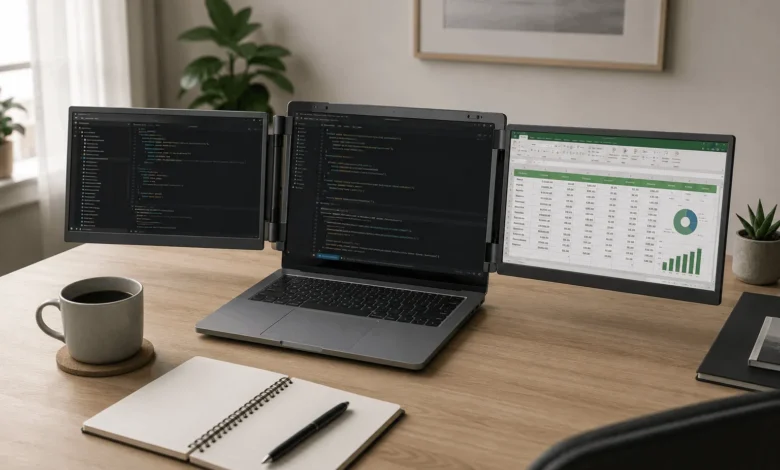
A laptop monitor extender is a portable screen that adds one or two extra displays to a laptop for side-by-side multitasking. Some clip onto the back of the lid as folding wings. Others sit beside the laptop as a separate portable monitor. Which one works for you depends on your laptop’s ports, not the price tag.
What a Laptop Monitor Extender Actually Does
A laptop monitor extender turns a single screen into a two or three screen workspace without a desk-bound setup. Instead of switching between a browser, a code editor, and a spreadsheet, you can keep each one visible at once. The extender pulls its video signal, and often its power, straight from the laptop, so there’s no separate outlet to hunt for in a coffee shop or an airport gate.
The category actually covers two distinct product types that get lumped under the same search term, and mixing them up is the easiest way to end up with the wrong one.
Two Different Products, One Search Term
1. Clip-On Screen Extenders
These attach to the back of the laptop lid with a mounting bracket or a magnetic plate, then fold out into one or two panels that sit beside the built-in screen. Closing the laptop folds the whole assembly into a single slab that fits in a laptop bag. Because the panels are hinged to the lid, the rig moves with the laptop, which suits people who reposition often through the day, like moving from a kitchen table to a window seat.
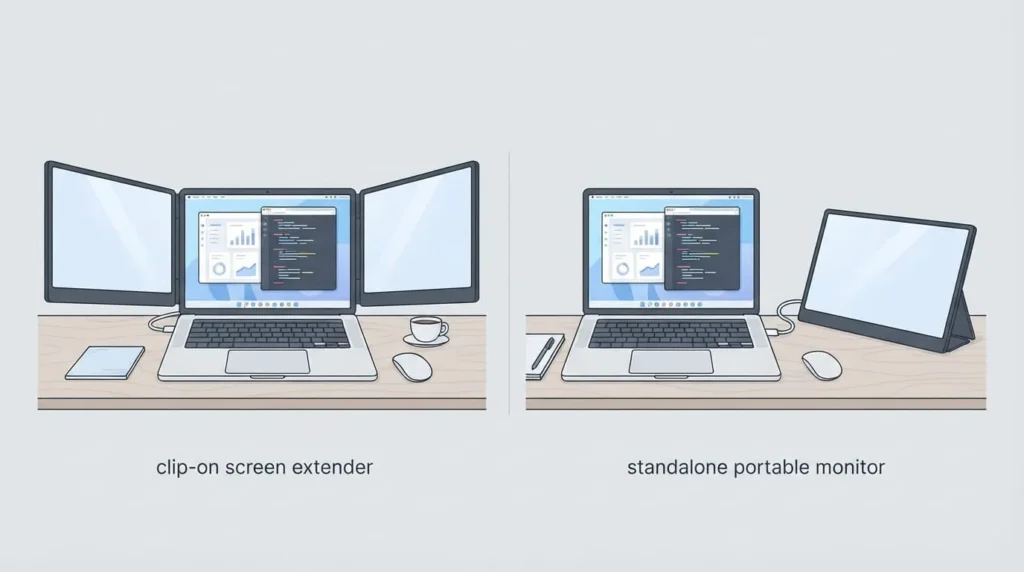
H3: Standalone Portable Monitors
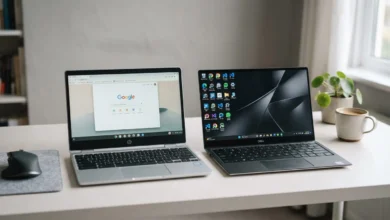
These are separate slim displays, usually 14 to 16 inches, that connect with one USB-C cable and stand on their own kickstand next to the laptop. They don’t attach to the lid, so they need their own flat surface, but they also work with a phone, tablet, or game console, not just the one laptop they were bought for.
What the Research Says About Multi-Monitor Productivity
Marketing pages for this category often quote productivity gains of 200 percent or 300 percent, numbers that don’t trace back to any named study. The real research is more modest, and still worth paying attention to.
Jon Peddie Research, a technology research firm that has surveyed more than 1,000 knowledge workers across three separate studies, found an average self-reported productivity gain of 42 percent when moving from one monitor to two. Microsoft’s internal research on the same question found a wider range, between 9 and 50 percent, depending on the task; tasks that involve comparing documents or copying data between windows saw the biggest gains. A 2015 Wichita State University study commissioned by Dell measured dual-monitor users completing office tasks faster and with fewer errors than single-monitor users, and found that 98 percent of participants preferred the dual-monitor setup once they had tried it.
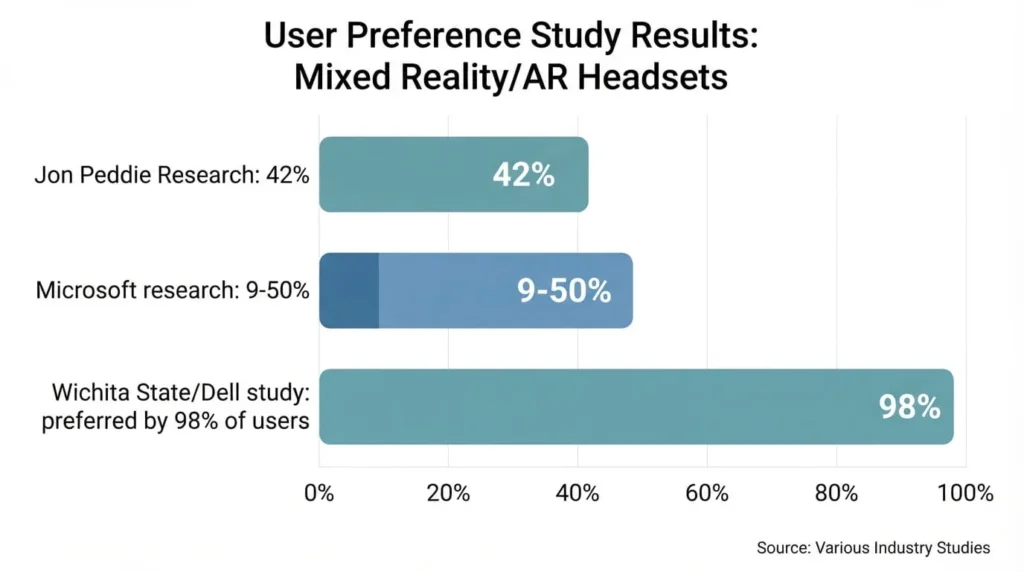
None of these studies tested clip-on laptop extenders specifically, since most were run on paired desktop monitors. But the underlying mechanism, seeing more information at once without constant alt-tabbing, applies the same way to a laptop-plus-extender setup.
Check your Laptop’s Port Before You Check the Price
1. USB-C with DisplayPort Alt Mode or Thunderbolt
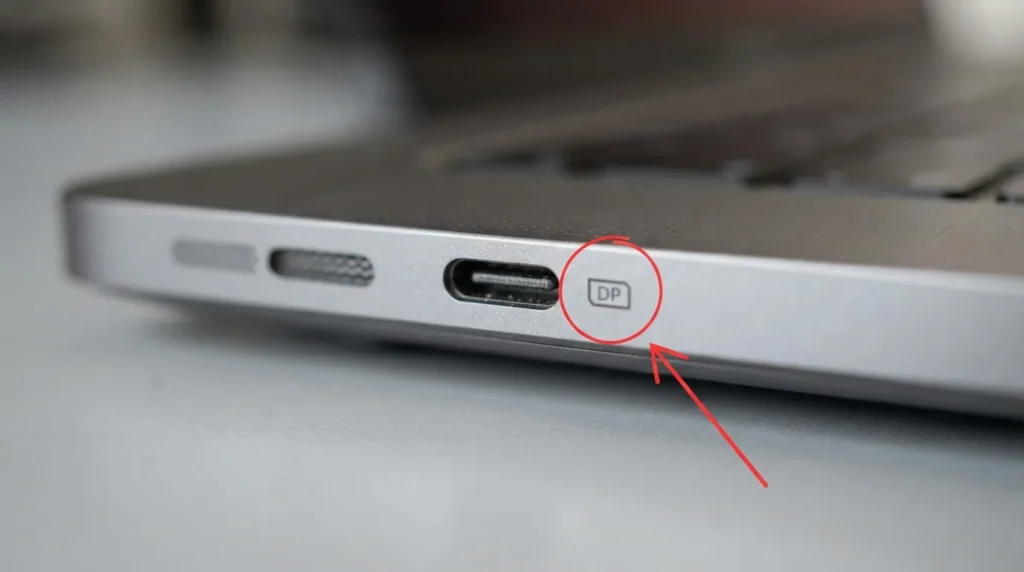
Most modern extenders expect a single USB-C cable to carry video, data, and sometimes power. That only works if your laptop’s USB-C port supports DisplayPort alt mode or Thunderbolt, and not every USB-C port does. Look for a small DisplayPort or Thunderbolt icon printed next to the port. If it’s missing, plugging in a video cable won’t produce a picture no matter how good the extender is.
2. DisplayLink adapters for older or limited laptops
If your laptop’s USB-C port only handles data and charging, or you’re working from an older laptop with just HDMI and USB-A, look for an extender built on DisplayLink technology instead. DisplayLink adapters use software drivers to send a video signal over a data connection, which sidesteps the alt-mode requirement entirely. The tradeoff is a small driver install and slightly more load on the laptop’s processor.
What Actually Matters on The Spec Sheet
1. Weight and How It Folds
A clip-on triple-screen extender typically weighs between 2 and 4 pounds on top of the laptop itself. If you’re carrying it daily between a desk, a car, and a client site, that weight adds up fast. Check whether the unit folds completely flat and comes with its own case, since a bulky hinge is usually what ends up scratching a laptop lid inside a bag
2. Panel Type and Brightness
IPS panels give consistent color and wide viewing angles, which matters when someone else glances at your second screen during a call. Brightness in the 250 to 300 nit range is enough for most indoor use; anything below that struggles near a window or under direct light. A small number of newer models now ship with OLED panels for better contrast, at a noticeably higher price.
3. Power Delivery Passthrough
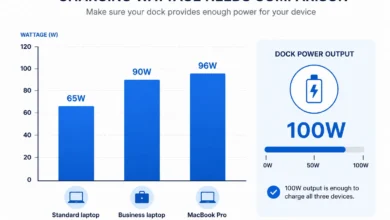
If the extender draws power from your laptop’s only USB-C port, you may not have a free port left to charge the laptop itself. Extenders with power delivery passthrough let you plug your charger into the extender, which then powers both the laptop and the added screens through one cable. This is worth checking before you buy if your laptop only has one or two USB-C ports total.
Who Gets the Most Out of One
People who move between locations during the workday get the clearest benefit: consultants between client sites, students moving from a dorm to a library, and remote workers splitting time between home and a co-working space. Developers and traders benefit from the extra vertical space for code or data feeds. Anyone who mostly works from one fixed desk is usually better served by a normal external monitor, which costs less per inch of screen and doesn’t add weight to a bag.
Before buying a laptop monitor extender, check your USB-C port for a DisplayPort or Thunderbolt icon, decide whether you need it to fold with the laptop lid or work as a separate standalone screen, and confirm the weight fits how often you’ll actually carry it. Those three checks matter more than any brand name on the box.
FAQ’S
1.Does a Laptop Monitor Extender Work With Any Laptop?
No. It depends on whether your laptop’s USB-C port supports DisplayPort alt mode or Thunderbolt, or whether you choose a DisplayLink-based extender that works over a standard data connection instead. Check the port icon on your laptop before buying, since this is the most common reason people end up returning one.
2.What is the Difference Between a Screen Extender and a Portable Monitor?
A screen extender clips onto the laptop lid and folds out as part of the laptop itself, closing flat when you shut the lid. A portable monitor is a separate screen with its own stand that sits beside the laptop and can be used with other devices too.
3.Do I Need a DisplayLink Adapter For My Laptop?
You need one if your laptop’s USB-C port doesn’t carry video, or if you’re connecting through USB-A or an older HDMI-only setup. Product listings usually call this out specifically, since DisplayLink requires a small driver install on first use.
4.How Much Weight Does a Monitor Extender Add to My Bag?
Clip-on models generally weigh between 2 and 4 pounds depending on whether they add one or two extra panels. Standalone portable monitors tend to weigh less on their own, but you also need to carry a stand or case for them separately.