
Gaming changes frequently. Developers release new content, fix bugs, adjust gameplay, and improve performance through regular updates. Game updates Befitnatic refers to the gaming news and update coverage available on Befitnatic.com. Its Game Updates section features articles on gaming developments, patch discussions, and related topics. It is an editorial information source, not a standalone game or a universal game update download service.
For US gamers, understanding what this website covers can make it easier to find relevant gaming information and distinguish general news from official game releases.
What Is Game Updates Befitnatic?
Befitnatic is a website covering gaming technology, gaming news, how-to guides, and reviews. Its Game Updates category focuses on changes happening across the gaming industry, including new releases, patch discussions, and developments affecting players.
The website also has sections dedicated to Game Tech, How-To Guides, and Reviews. This gives visitors different ways to explore gaming subjects depending on what they want to learn.
For example, someone interested in a recent game announcement might read a news article, while a player experiencing technical problems may prefer a troubleshooting guide.
One important distinction is that Befitnatic publishes editorial content. It should not be confused with a game developer, official game launcher, or software distribution platform.
What Type of Gaming Updates Can You Find?
Gaming updates cover several different subjects. Understanding these categories helps readers find information that matches their interests.
1. New Game Releases and Announcements
Game announcements help players learn about upcoming titles, new releases, and changes planned by developers. These stories may cover release windows, new characters, gameplay features, and supported platforms.
For US players, platform availability is particularly useful. A game announced for PC may not have the same release schedule as its console version.
When reading a release announcement, check the developer’s official website for confirmed dates and availability.
2. Game Patch Notes and Bug Fixes
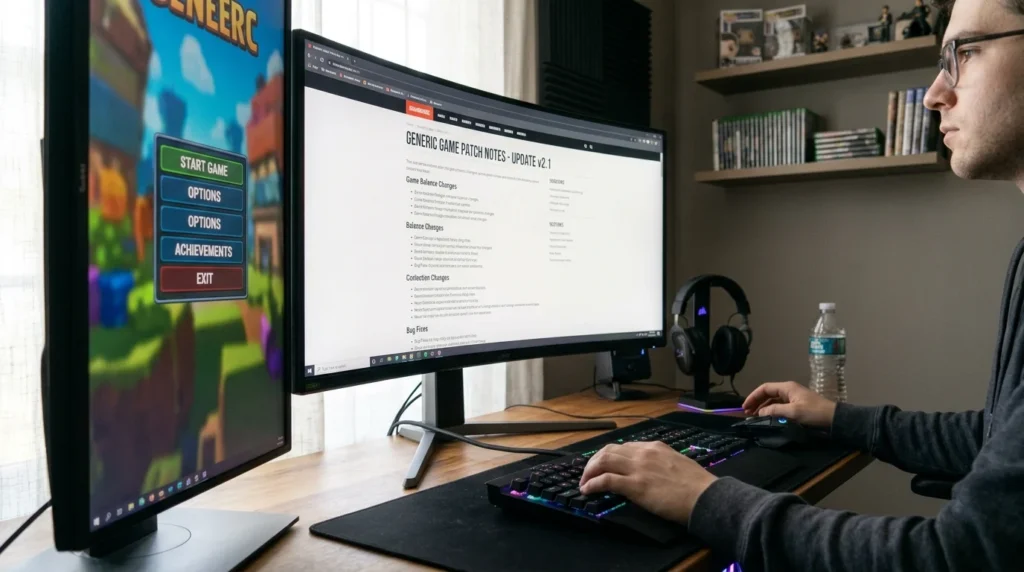
Patch notes explain what developers have changed in a game. They usually describe technical corrections, gameplay adjustments, and new features included in a particular release.
Common patch note details include:
- Bug fixes that address gameplay problems.
- Weapon and character balance adjustments.
- Changes to multiplayer matchmaking.
- Improvements to loading times.
- Corrections to crashes and connection errors.
- New maps, missions, and seasonal content.
Befitnatic patch notes-related coverage can help readers understand these topics. However, specific changes should always be checked against the official patch notes for the game being discussed.
3. Gameplay and Performance Changes
Some updates affect how a game feels during regular play. Developers may adjust graphics settings, improve frame rates, change character abilities, or fix problems affecting online matches.
PC players may be particularly interested in performance improvements because hardware specifications vary widely.
Console players should also pay attention to updates that affect storage requirements, controller settings, online connectivity, and compatibility.
4. Gaming Technology and Industry Trends
Gaming news also covers developments beyond individual game releases.
Examples include cloud gaming, gaming hardware, artificial intelligence, esports, online multiplayer technology, and improvements to game development tools.
These subjects help readers understand why gaming experiences continue to change. They can also provide useful background when evaluating new products and services.
How to Find Game Updates on Befitna
Finding relevant information is straightforward if you know which section to visit.
Follow these steps:
- Open Befitnatic.com in your browser.
- Find the Game Updates section in the website navigation.
- Browse the available gaming articles.
- Select a topic that matches the game or subject you are interested in.
- Check the publication date to understand how recent the information is.
- Follow any references to official game announcements or patch notes when you need confirmed release details.
Readers should also explore the How-To and Game Tech categories when they need additional information about gaming problems or technology.
A useful approach is to search for the actual game title alongside the subject you want to understand. This helps separate general gaming articles from information about a particular release.
How to Check Whether a Game Update Is Genuine
Not every article describing a new game update contains confirmed release information. Some posts discuss general gaming changes, while others report announcements from developers.
Before trusting a specific update, check the following details:
- Game title: Does the article clearly identify the game?
- Developer: Is the studio responsible for the release named?
- Version number: Does the information mention a specific update version?
- Release date: Is the date confirmed by an official announcement?
- Platform: Does the update apply to PC, PlayStation, Xbox, Nintendo Switch, or mobile?
- Patch notes: Can you find the original announcement from the developer?
These details help readers determine whether an article reports a confirmed update or simply discusses a possible change.
For example, if an article claims that a game has received a new multiplayer mode, look for the same announcement on the developer’s website or official social media account.
Never download an unknown update file simply because an article describes it as the newest release. Use the game’s authorized launcher, console store, or official distribution platform.
Why Game Updates Matter to US Gamers
Regular updates can change the way players experience their favorite games.
For competitive players, a weapon balance adjustment might affect their preferred strategy. Casual players may be more interested in new missions, seasonal events, and additional content.
Technical improvements also matter. A patch that fixes crashes or improves network stability can make online sessions more reliable.
Here are some common reasons players follow gaming updates:
- To learn about new content before returning to a game.
- To understand changes to characters, weapons, and abilities.
- To check whether an update fixes known problems.
- To prepare for changes in competitive multiplayer games.
- To confirm compatibility with their gaming platform.
- To avoid installing unofficial or unsafe update files.
Following reliable information can save players time and help them understand changes before starting their next gaming session.

How to Stay Updated Without Missing Important Changes
Keeping track of every gaming announcement can become difficult, especially if you play several different titles.
A simple routine can make the process easier.
First, identify the games you play most often. Follow their official announcement channels and check their update history regularly.
Next, use gaming news websites such as Befitnatic to explore broader topics and understand developments across the industry.
You can also organize updates according to their importance:
- Major updates: New content, seasonal releases, and significant gameplay changes.
- Minor updates: Small improvements, interface changes, and balance adjustments.
- Technical updates: Security fixes, compatibility changes, and performance improvements.
- Emergency updates: Hotfixes released to address serious problems.
This approach helps you focus on information that affects your gaming experience instead of reading every announcement.
What to Know Before Installing a Game Update
Before installing a game update, take a moment to understand what the release contains.
Check the available storage space, platform requirements, and version information. Some large updates may require additional downloads or a restart before you can play.
PC players should also check whether an update affects their existing mods or custom settings. Console players should confirm that their device has enough free storage.
A few simple precautions can help:
- Download updates through official platforms.
- Check the update version before installation.
- Back up important save data when appropriate.
- Read known-issue announcements.
- Avoid unfamiliar third-party download links.
- Check whether additional updates are available if a problem continues.
If an update causes unexpected problems, visit the game’s official support page for instructions specific to that title and platform.
Befitnatic’s Game Updates section is a useful starting point for readers interested in gaming developments, patch discussions, and technology-related articles. By checking publication dates and comparing important claims with official developer announcements, US gamers can make better use of the information they find and avoid confusing general gaming coverage with confirmed software releases.