
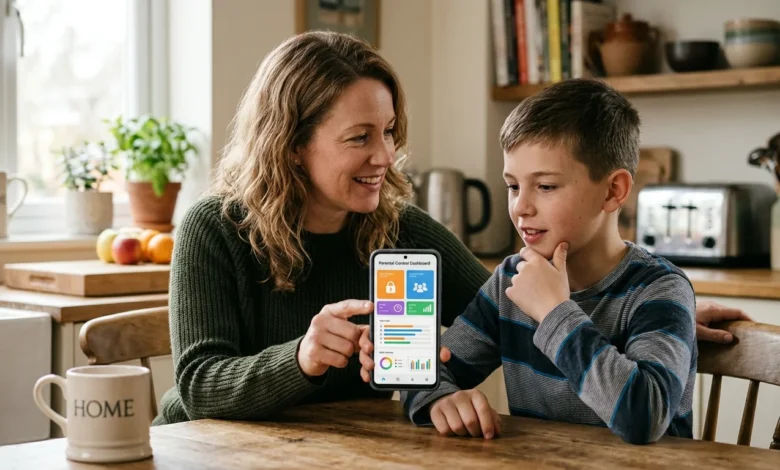
If you’re considering buying a smartphone for your child, Bark Phone may look like an interesting option. These Bark Phone reviews examine its parental controls, message monitoring, monthly plans, advantages, disadvantages, and customer feedback to help you decide whether it’s worth the money.
Bark Phone is designed for parents who want their children to have a smartphone while maintaining control over internet access, apps, contacts, and screen time. Its biggest difference from an ordinary phone is its built-in monitoring system, which alerts parents when it detects potentially concerning online activity.
However, the phone also has limitations, including subscription costs, carrier restrictions, and concerns reported by some customers. Here’s what you should understand before purchasing one.
What Is Bark Phone?
Bark Phone is a smartphone designed specifically for children and teenagers. It combines Samsung smartphone hardware with Bark’s parental control software, allowing parents to manage how their children use the device.
Unlike a regular smartphone, it gives parents more control over communication, applications, and internet access.
Its main features include:
- Monitoring of supported messages and applications.
- Alerts about potentially concerning online activity.
- GPS location tracking.
- Contact approval and management.
- Screen time schedules.
- App download approvals.
- Website and content restrictions.
- Remote internet access controls.
Parents can manage many settings through their own devices. The phone can start with limited functionality and become more flexible as a child grows.
Bark also offers different subscription levels, so the available features depend on the selected plan.
Bark Phone Features and How They Work
Before considering the price, it’s worth understanding what the phone actually offers.
1. Message and Social Media Monitoring
One of Bark Phone’s main selling points is its monitoring system.
Bark scans supported communications and applications for potential warning signs, including cyberbullying, inappropriate conversations, and other online safety concerns.
Instead of automatically showing parents every conversation, the system sends alerts when it detects potentially concerning content.
This approach can give children some privacy while allowing parents to respond when something needs attention.
However, monitoring should not be confused with complete protection. Detection depends on supported applications, permissions, and technical limitations. Parents should check the current list of monitored services before purchasing.
2. GPS Location Tracking
Parents can use Bark’s location features to check where their children are.
This can be useful when a child travels to school, visits friends, or participates in after-school activities.
Location tools also include alerts for certain locations, depending on the available settings.
Remember that GPS location is not guaranteed to be perfectly accurate at every moment. Signal conditions, internet connectivity, and device settings can affect location updates.
3. Screen Time and App Management
Bark gives parents control over applications and phone usage schedules.
For example, parents can restrict entertainment applications during homework hours or limit phone access during bedtime.
Parents can also approve applications before installation and block access to selected websites.
This is useful for families who want to introduce smartphones gradually instead of giving children unrestricted access from the beginning.
Bark Phone Pricing and Monthly Plans
Source: Bark’s pricing is an important consideration because purchasing the phone is only part of the expense.
Bark’s published plan options include the following monthly prices:
| Plan | Monthly price | Main offering |
| Starter | $29 | Calls and texts, no internet |
| Advanced Wi-Fi | $39 | Calls, texts, Wi-Fi |
| Advanced 4GB | $49 | Calls, texts, 4GB data |
| Advanced 8GB | $59 | Calls, texts, 8GB data |
| Advanced Unlimited | $79 | Calls, texts, unlimited data |
Official product information.
Bark
The actual device price is separate and can depend on the model and payment arrangement. SafeWise lists a $360 device starting price on its review page, so confirm the current checkout price before ordering.
How Much Does Bark Phone Cost Over Two Years?
Here is an example of subscription spending over 24 months, excluding the device, taxes, and additional charges.
| Plan | 12 months | 24 months |
| Starter ($29) | $348 | $696 |
| Advanced ($39) | $468 | $936 |
| 4GB ($49) | $588 | $1,176 |
| 8GB ($59) | $708 | $1,416 |
| Unlimited ($79) | $948 | $1,896 |
This makes the long-term cost worth considering.
A family choosing the $79 unlimited plan will spend considerably more over two years than a family using the $29 Starter plan.
The best option depends on whether your child actually needs internet access, downloadable applications, and mobile data.
Bark Phone Pros and Cons
No smartphone is perfect for every family. Bark Phone has some useful features, but parents should understand its limitations.
Advantages of Bark Phone
- Built-in parental control software.
- Monitoring of supported applications and messages.
- GPS location tracking.
- Parent-approved application downloads.
- Screen time management.
- Different plans for different levels of phone access.
- Ability to upgrade functionality without changing the device.
Its biggest advantage is flexibility. Parents can begin with a restricted phone and allow more features when their child becomes ready.
Disadvantages of Bark Phone
- Monthly subscription costs can become expensive.
- Requires Bark Wireless instead of an existing carrier.
- Monitoring does not cover every possible application or online activity.
- Some parents may find the controls restrictive.
- Some customers report software and customer support problems.
- Families with multiple children may find the overall cost difficult to manage.
SafeWise also identifies carrier restrictions, the lack of a multi-line discount, and a relatively short warranty among its listed disadvantages.
What Do Customers Say About Bark Phone?
Customer feedback is another important part of researching a product.
Bark’s Trustpilot profile provides a useful source of customer complaints and positive experiences. The profile had a 1.7/5 TrustScore and 124 reviews when checked.
Some reviewers reported problems with application glitches, slow performance, and customer support. Other customers appreciated the monitoring features and the ability to introduce children to smartphones with restrictions.
Read Customer Service Reviews of bark.us
There is one important distinction: these reviews cover Bark’s broader product and service experience. They should not all be treated as confirmed complaints about the Bark Phone itself.
Common Customer Concerns
The recurring concerns worth investigating before buying include:
- Application reliability and unexpected glitches.
- Problems with parental control settings.
- Delays or frustration when contacting customer support.
- Concerns about the overall phone and subscription experience.
These reports do not establish that every Bark Phone has these problems. They do show why parents should read recent, phone-specific feedback before making a purchase.
Is Bark’s Monitoring System Useful
For parents concerned about online communication, monitoring can be useful.
However, no monitoring system can guarantee that every harmful message, interaction, or online risk will be detected.
Parents should treat alerts as a starting point for conversations with their children, not as a replacement for communication and supervision.
Bark Phone vs Gabb vs Pinwheel
Parents comparing children’s smartphones should also consider Gabb and Pinwheel.
All three products offer parental controls, but their approaches are different.
1. Bark Phone
Best for parents who want monitoring alerts and the option to gradually allow more applications and internet access.
2. Gabb Phone 4
Best for families who want a more restricted phone without unrestricted social media and browser access.
3. Pinwheel Phone
Best for parents who prefer approved applications, scheduling, and more flexibility in choosing a cellular carrier.
Is Bark Phone Safe for Children?
Bark Phone offers several tools that can help parents manage their children’s smartphone use.
Its content monitoring, contact controls, application restrictions, and location features can reduce certain online risks.
However, parents should understand that having parental controls does not make a child completely safe online.
Children can still encounter unfamiliar people, inappropriate content, and online pressure through supported or unsupported services.
It’s also worth discussing monitoring with your child. Explain what information is monitored, why certain applications are restricted, and when they can earn additional phone privileges.
A healthy balance between privacy, trust, and supervision makes the device more useful.
Is Bark Phone Worth Buying?
Bark Phone can be worth buying if you want a smartphone that gives your child some independence while allowing you to manage online activities.
It is particularly suitable for parents who want content monitoring, location tracking, app approvals, and flexible restrictions.
However, it may not be the best option for everyone.
If your main priority is a basic phone with very limited internet access, Gabb may be a better fit. If you want more control over the cellular carrier and an approved app library, Pinwheel deserves consideration.
Before purchasing, check the current device price, monthly subscription, supported monitoring services, and refund conditions.
Bark’s official policy states that eligible direct purchases can be returned within 60 days for a refund of the device cost, while wireless plan payments are not refundable.