If your phone feels hot, it may be working harder than usual because of charging, gaming, background apps, poor signal, sunlight, or a software problem. Some warmth is normal, but a phone that becomes extremely hot, heats up while idle, or shows temperature warnings needs attention.
Most overheating problems can be fixed by stopping demanding activities, disconnecting the charger, moving the phone somewhere cooler, and checking which apps are using too much power. The important thing is to identify what is causing the heat instead of repeatedly ignoring it.
Why Does Your Phone Get Hot?
Smartphones contain processors, batteries, displays, and wireless components that produce heat while operating. When several of these components work simultaneously, the temperature can rise faster than the phone can release heat.
For example, playing a demanding game while charging and keeping screen brightness at maximum makes several components work at the same time. Your phone may become noticeably warmer because it is processing graphics, charging the battery, displaying content, and maintaining a network connection.
Phone warmth is usually temporary when it happens during demanding activities and disappears after you stop. However, heat during basic tasks, unexpected temperature warnings, or a phone that becomes uncomfortable to hold should not be ignored.
8 Common Reasons Your Phone Is Getting Hot
1. Charging Your Phone
Charging naturally produces heat as electrical energy enters the battery. Fast charging can make the temperature more noticeable, particularly when your phone is already warm or you’re using it at the same time.
Using a damaged cable, an incompatible charger, or a charging accessory that doesn’t work properly can create additional problems. Wireless charging may also generate more warmth than wired charging because some energy is lost during the charging process.
If your phone gets hot while charging, disconnect it and let it cool. Check the cable and adapter for damage before using them again.
2. Playing Games or Streaming Videos
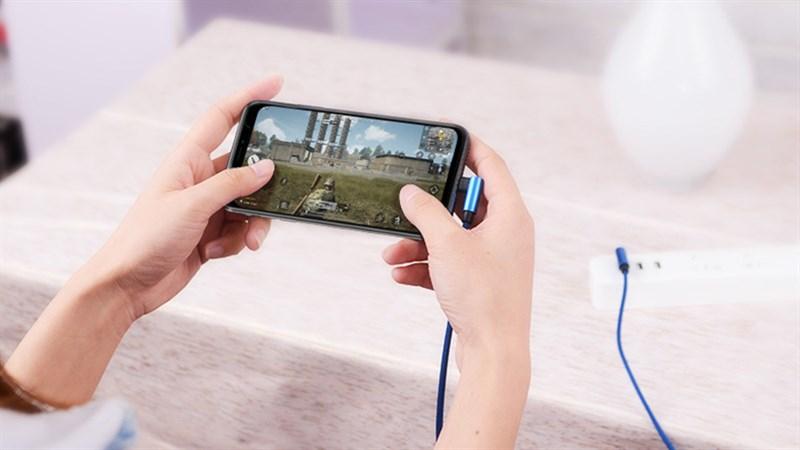
Games with detailed graphics, online multiplayer features, and high frame rates can put significant pressure on your phone’s processor. Streaming videos for long periods can also increase heat, particularly when the screen brightness is high or you’re using mobile data.
You may notice this while playing games like Call of Duty Mobile, PUBG Mobile, or other graphics-heavy titles. The phone can become warmer during longer sessions, especially in a hot room.
Take breaks, lower graphics settings, and avoid playing demanding games while charging.
3. Too Many Apps Running in the Background
Some apps continue working when you aren’t actively using them. They may sync files, refresh content, check notifications, track location, or upload data.
If an app has a bug or repeatedly performs background tasks, it may use excessive battery and create heat. This can explain why your phone feels warm even when you’re doing very little.
Check your battery usage settings to identify apps consuming unusually high amounts of power. Restrict background activity for apps you don’t need running continuously.
4. Direct Sunlight or Hot Weather
Leaving your phone in direct sunlight can increase its temperature quickly. A phone placed on a car dashboard, near a window, or outside during hot weather may struggle to release heat.
Hot surroundings become especially problematic when you’re also using GPS, recording video, charging, or running games.
Move your device into the shade or a cooler room. Avoid leaving it inside a parked car, where temperatures can rise quickly.
5. Poor Cellular Signal
When your phone struggles to connect to a cellular network, it may use more power trying to maintain the connection. This often happens in basements, remote locations, buildings with thick walls, or areas with weak reception.
If your phone heats up in a place where the signal is poor, the network connection may be part of the problem. Try connecting to reliable Wi-Fi when available or temporarily use airplane mode if you don’t need calls or mobile data.
6. Software Updates or New Phone Setup
A newly purchased phone may feel warm while downloading apps, transferring files, restoring backups, or organizing data. Software updates can also temporarily increase processor activity.
This type of heat generally decreases when the setup or update finishes. If the phone remains hot for hours or repeatedly heats up during simple tasks, check for unfinished updates, restart the device, and review battery usage.
7. Using GPS, Hotspot, or Video Calls
Navigation, mobile hotspots, video calls, and high-resolution video recording can consume significant power.
GPS navigation may keep the display on, use location services, connect to mobile data, and process route information simultaneously. A phone mounted in direct sunlight inside a vehicle can heat up even faster.
If you’re using a hotspot, video call, or navigation for an extended period, give your device occasional breaks and keep it away from sunlight.
8. An Aging Battery or Hardware Problem
Older batteries may become less efficient over time. If your phone suddenly heats up during normal activities, drains quickly, shuts down unexpectedly, or behaves differently while charging, the battery may need inspection.
A damaged charging port, faulty accessory, or other internal hardware issue can also cause abnormal heat.
If overheating continues after trying basic troubleshooting, contact the manufacturer or a qualified repair professional. Don’t attempt to open a phone or replace its battery unless you have the proper skills and equipment.
Why Is My Phone Hot When I’m Not Using It?
A phone that heats up while sitting idle can be more concerning than one that becomes warm during gaming or charging. If the screen is off but the device feels hot, a background process, app problem, weak signal, or battery issue could be responsible.
Try these checks:
- Check battery usage to find apps consuming power in the background.
- Restart your phone to stop stuck processes.
- Turn off location services for apps that don’t need them.
- Check whether files, photos, or apps are still syncing.
- Install pending software updates when the phone has cooled.
- If the phone remains hot while idle, turn it off and seek technical support.
If your phone repeatedly gets hot without being used, don’t dismiss it as normal battery behavior.
How to Cool Down Your Phone Quickly
If your phone is hot right now, follow these steps in order.
1. Stop Using the Phone
Close demanding apps, stop gaming, pause video streaming, and end unnecessary video calls. Reducing processor activity helps the phone release heat.
2. Unplug the Charger
If your phone is charging, disconnect it. Allow the device to cool before charging it again, especially if it feels uncomfortably hot.
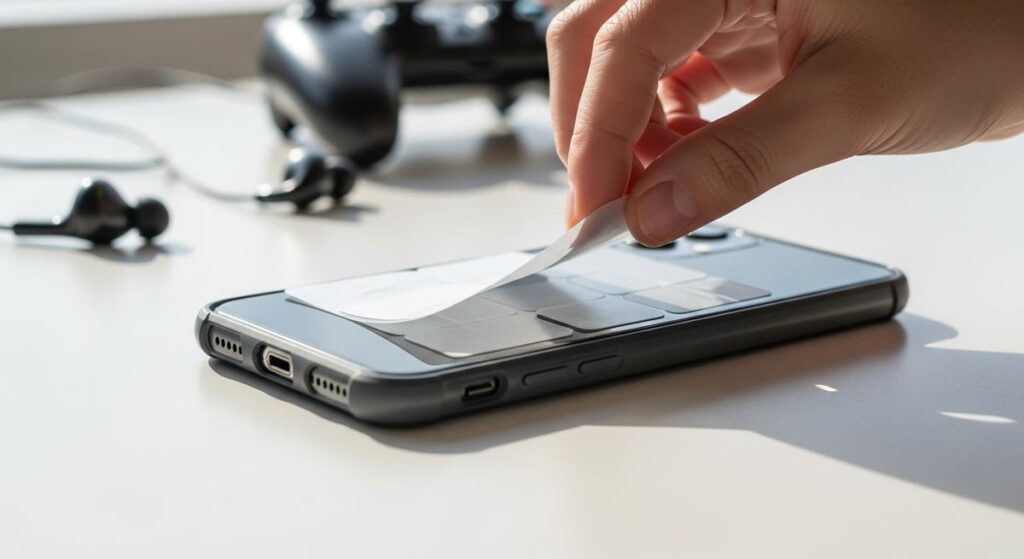
3. Remove the Phone Case
A thick case may reduce how quickly heat escapes. Removing it temporarily can help your phone cool more effectively.
4. Move It Away From Heat
Take your phone out of direct sunlight, away from heaters, and out of hot vehicles. Place it in a shaded, well-ventilated area on a hard surface.
5. Reduce Screen Brightness
Lower brightness or turn the screen off. A display operating at high brightness uses additional power and can contribute to heat.
6. Restart the Phone
If the phone is warm but safe to handle, restarting it may stop a misbehaving app or stuck background process. If it is extremely hot, turn it off and leave it alone until it cools.
Never put your phone in a refrigerator or freezer. Rapid temperature changes can cause condensation and damage internal components. Allow the phone to cool naturally.
How to Stop Your Phone From Getting Hot Again
Once the phone has cooled down, these habits can help prevent the same problem from happening again.
- Avoid playing demanding games while charging.
- Use compatible charging accessories in good condition.
- Don’t leave your phone in direct sunlight or a parked car.
- Keep apps and operating system software updated.
- Reduce screen brightness when you don’t need maximum brightness.
- Remove unnecessary apps that consume battery in the background.
- Use Wi-Fi when mobile signal is weak and Wi-Fi is reliable.
- Avoid keeping your phone under pillows, blankets, or other surfaces that trap heat.
- Take breaks during extended gaming, video recording, navigation, or video calls.
If one particular app regularly causes overheating, check whether an update is available. If the problem continues, try restricting its background activity or uninstalling it temporarily to see whether the temperature improves.
Is It Normal for Your Phone to Get Hot?
Yes, mild warmth is generally normal when charging, playing games, streaming videos, recording with the camera, installing updates, or using navigation.
The difference is how intense the heat becomes and whether it continues after the activity stops.
| Normal warmth | Concerning overheating |
| Slight warmth during charging | Extremely hot while charging |
| Warm during gaming | Hot during basic texting |
| Temporary warmth after updates | Continues heating while idle |
| Cools after activity stops | Doesn’t cool after resting |
| No warning messages | Temperature warnings or shutdowns |
Phones have built-in temperature protections. When a device becomes too hot, it may reduce performance, dim the screen, slow or pause charging, disable certain features, or shut down to protect itself.
When Should You Worry About a Hot Phone?
Stop using and charging your phone if it becomes too hot to hold comfortably, repeatedly displays temperature warnings, or shuts down because of heat.
Pay particular attention to these warning signs:
- The phone becomes extremely hot during light use.
- It heats up while idle or overnight.
- The battery drains unusually quickly along with overheating.
- Charging repeatedly stops because of temperature.
- The phone shuts down unexpectedly.
- The battery or phone body appears swollen.
- You notice unusual smells, smoke, or damage.
If the battery appears swollen, the device smells unusual, or you see smoke, stop using it and keep it away from flammable materials. Do not press, puncture, or attempt to repair a swollen battery. Seek professional assistance.
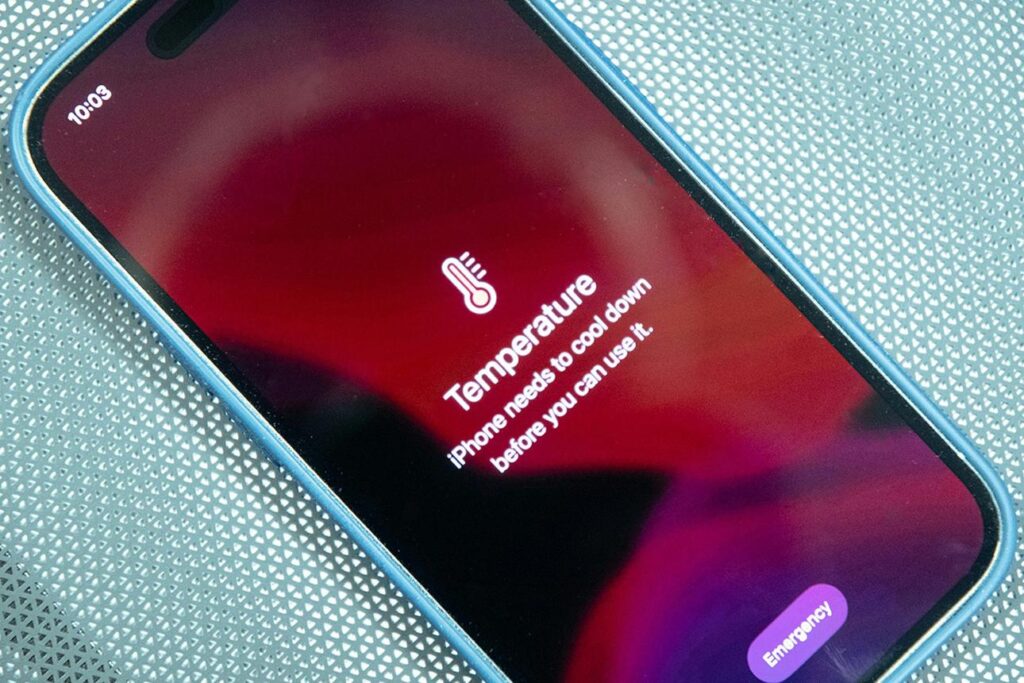
Repeated overheating can shorten battery lifespan and may indicate a hardware issue. If basic troubleshooting doesn’t solve it, arrange an inspection with the phone manufacturer or a qualified technician.
iPhone and Android Troubleshooting Tips
If You Have an iPhone
If your iPhone is getting hot, check whether it is downloading an update, restoring a backup, charging wirelessly, recording video, or running a demanding app.
You can also:
- Check Settings and review battery activity for apps using significant power.
- Reduce screen brightness.
- Pause heavy apps and games.
- Disconnect the charger if the phone is unusually hot.
- Move the phone away from direct sunlight.
- Let it cool naturally before using or charging again.
iPhones may temporarily pause charging, dim the screen, reduce performance, or show a temperature warning when their internal temperature becomes too high.
If You Have an Android Phone
Android users can check battery settings to find apps that consume excessive power. The exact menu varies by manufacturer, but you can usually find battery usage under Settings.
For Samsung Galaxy devices, Device Care or Battery settings can help identify apps using too much power. Pixel phones also offer battery diagnostics on supported models.
Try updating your apps, restarting your device, restricting background activity for problematic apps, and disabling unnecessary features such as mobile hotspots when you’re not using them.
Quick Diagnosis: Find Out Why Your Phone Is Hot
If you’re unsure about the cause, use this quick guide to narrow down the problem.
| When your phone gets hot | Possible cause | What to try |
| While charging | Fast charging or accessory problem | Disconnect and inspect charger |
| During gaming | Processor and graphics workload | Reduce settings and take breaks |
| With screen off | Background apps or syncing | Check battery usage and restart |
| In a car | Sunlight and navigation | Move to shade and stop navigation |
| After an update | Background setup processes | Let tasks finish and restart |
| During video calls | Camera, processor, and network | End call and let it cool |
| With weak signal | Cellular network searching | Use reliable Wi-Fi if available |
| With rapid battery drain | App or battery problem | Check battery activity and health |
This diagnosis helps you focus on the cause instead of trying random solutions. If heat continues during normal use after these steps, professional inspection may be necessary.