
The best laptop for working from home in 2026 is the Apple MacBook Air M5 for most people, thanks to its 15-plus-hour real battery life, silent fanless design, and 1080p webcam. Windows users who need enterprise security and easy repairs should look at the Lenovo ThinkPad T14 Gen 6 instead.
What Actually Matters When you’re Buying a Work-From-Home Laptop
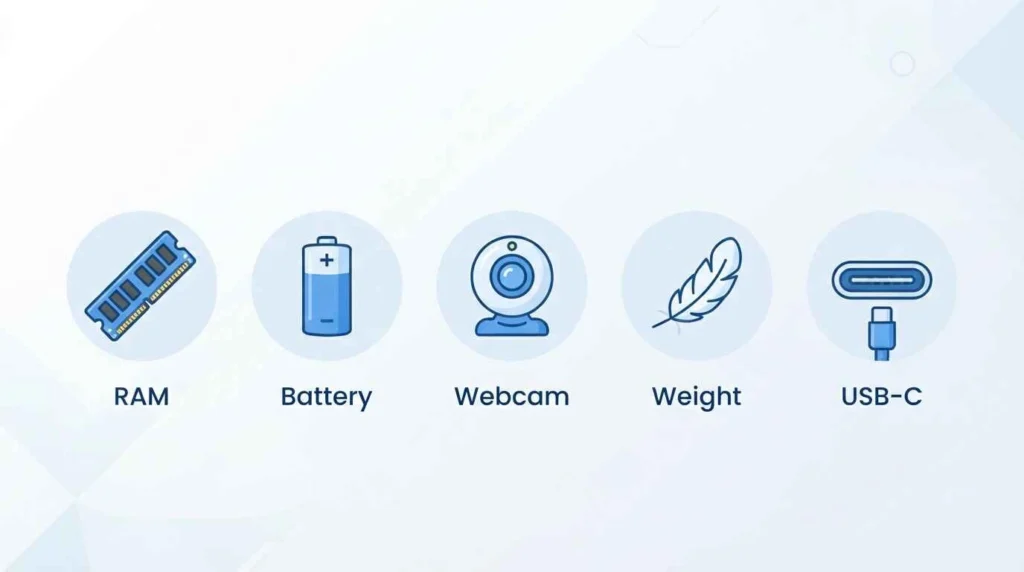
Spec sheets are noisy. For remote work, five things decide whether a laptop makes your day easier or harder: RAM, real-world battery life, webcam and microphone quality, weight, and port selection. Everything else, like clock speeds or GPU cores, only matters if your job specifically demands it.
16GB of RAM is the current baseline. It covers a dozen browser tabs, a video call, and Slack running in the background without the fan spinning up or the whole system stuttering. If you edit video, run local AI models, or juggle large spreadsheets, move up to 32GB.
Battery claims from manufacturers are lab numbers, not daily reality. A laptop rated for 18 hours will usually give you 12 to 16 hours of actual mixed use. Buy a few hours above what you think you need.
Best overall: Apple MacBook Air M5
The 13-inch MacBook Air M5 starts at $1,099 with 16GB of RAM and a 512GB SSD as the base configuration, up from 8GB and 256GB on the previous model. Apple rates it for up to 18 hours of battery life; in Tom’s Guide’s lab test of continuous web browsing, it ran for 15 hours and 37 minutes, which still covers a full workday with room to spare.
It weighs 1.23kg (2.7 pounds), runs completely silent because it has no fan, and connects over Wi-Fi 7. Port selection is thin: two Thunderbolt 4 ports and a MagSafe 3 charging port, so if you plug in multiple monitors or peripherals daily, plan on a dock.
Who it’s for: anyone who wants a low-maintenance laptop that handles video calls, documents, and browser-heavy work without ever thinking about charging it mid-afternoon.
Best Windows Laptop for Business Use: Lenovo ThinkPad T14 Gen 6
The AMD version of the ThinkPad T14 Gen 6 lists at $1,224 but regularly sells for $899 to $1,100 through Lenovo’s frequent direct discounts, according to Gadgets & Wheels’ 2026 ThinkPad review. It supports up to 64GB of DDR5 RAM, and unlike most ultraportables, that RAM is socketed rather than soldered, so you can upgrade it later instead of buying your ceiling on day one.
Lenovo also designates the RAM, SSD, keyboard, and battery as customer-replaceable parts, which cuts long-term repair costs for a machine you expect to keep for four to six years. It meets MIL-STD-810H durability testing and rates for up to 15 hours of battery life on the AMD build.
Who it’s for: IT-managed teams and anyone who wants a laptop they can repair and upgrade instead of replace.
Best Budget Pick: Acer Swift 14 AI
Forbes Vetted’s testers named the Acer Swift 14 AI their best value laptop for working from home, pointing to solid everyday performance at a price that stays under $1,500 next to premium picks like the MacBook Air and Dell XPS. If Lenovo fits your ecosystem better, ComputerCritique’s 2026 roundup points to the IdeaPad Slim 5 as a cheaper alternative built for everyday home-office tasks rather than heavy multitasking.
Neither of these is the laptop to buy if your job involves video editing, large datasets, or running several virtual machines at once. For email, video calls, spreadsheets, and web apps, either one gets the job done without the premium price tag.
Best for a Large Screen: Dell 16 Premium
If you’re anchored to a desk most of the day and want more screen real estate, the Dell 16 Premium has a 16.3-inch touch display that Forbes Vetted’s testers praised for clear, accurate color from nearly any angle. The tradeoff is real: it weighs 4.6 pounds, noticeably more than the roughly 3-pound average for this category, and its battery died after 5.5 hours in Forbes Vetted’s testing.
Who it’s for: home-office setups where the laptop mostly stays on the desk and rarely leaves the house.
How much RAM and Storage do you Actually Need?
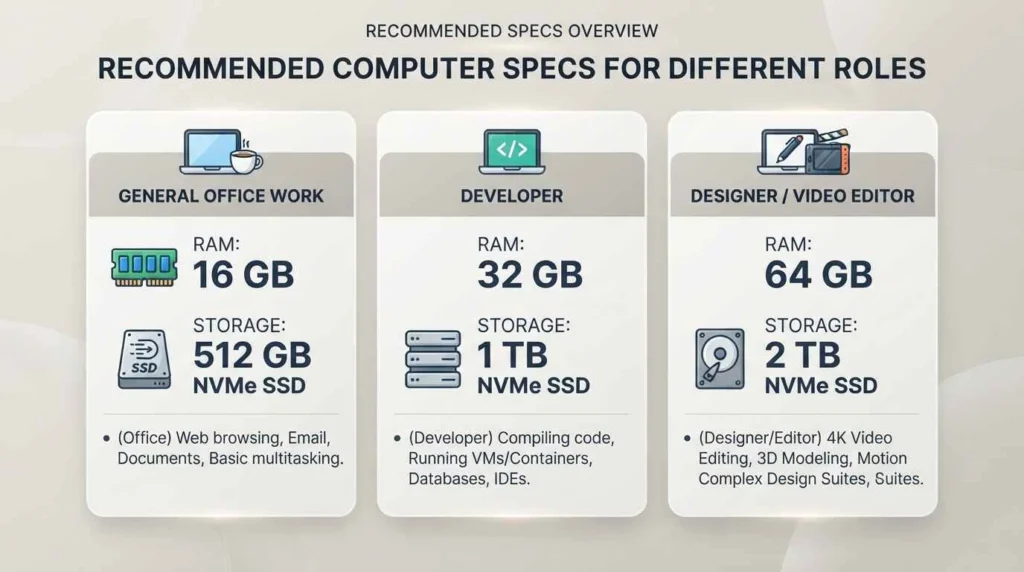
Match the spec to the job, not the marketing copy. Email, browser tabs, video calls, and office apps run fine on 16GB of RAM and a 512GB SSD; that combination now comes standard on most mid-range and premium 2026 laptops. Developers running local environments, designers in Adobe’s Creative Cloud, or anyone handling large video files should look at 32GB and 1TB as a starting point, not an upgrade.
Storage fills up faster than people expect. A 256GB drive gets tight within a year once you add OS updates, cached files, and a handful of large documents, so 512GB is the realistic floor for daily work rather than an extra.
Real Battery life Versus Manufacturer Claims
Every manufacturer tests battery life under conditions nobody actually replicates: fixed brightness, no background apps, often a single browser tab looping video. Independent lab tests consistently land 15 to 25 percent below the marketed number. The MacBook Air M5 is rated for 18 hours but ran 15 hours and 37 minutes in Tom’s Guide’s browsing test, and Tom’s Hardware clocked it at roughly 16.5 hours in a separate 4K video-loop test, both still strong results.
The lesson: treat the advertised number as a ceiling, not an expectation, and buy at least two to three hours above what your actual workday needs.
The bottom line
Most remote workers do best with the MacBook Air M5 or the ThinkPad T14 Gen 6, since both pair a full workday of real battery life with a webcam and microphone good enough for daily video calls. Pick the ThinkPad if your company issues Windows-only software or you want a machine you can repair yourself. Pick the Acer Swift 14 AI or Lenovo IdeaPad Slim 5 if your workload is light and your budget matters more than a few extra hours of battery.
FAQ’S
1:What is the best laptop for working from home in 2026?
For most people, it’s the Apple MacBook Air M5. It pairs a full workday of real battery life with a silent, fanless design and a webcam sharp enough for daily video calls. Windows users who need business software or IT-managed devices are better served by the Lenovo ThinkPad T14 Gen 6.
2:How much RAM do I need for a work-from-home laptop?
16GB is the current baseline for browser tabs, video calls, and office apps running at the same time. Move up to 32GB only if your work involves video editing, local development environments, or large design files.
3:Is a MacBook or a Windows laptop better for remote work?
Neither is objectively better; it depends on what your job requires. A MacBook Air suits general office work, browser-based tools, and anyone who values a longer battery and less maintenance, while a Windows laptop like the ThinkPad T14 makes more sense if your company runs Windows-only software or needs devices that IT can manage and repair.
4:How long should a work-from-home laptop’s battery last?
Aim for a laptop rated at 15 hours or more, since real-world use typically runs 15 to 25 percent below the manufacturer’s claim. That buffer keeps you covered through a full day of meetings without hunting for an outlet.
5:Does webcam quality matter for a work-from-home laptop?
Yes. Most built-in laptop webcams still cap out around 1080p, and low-light performance varies a lot between models. If your role involves frequent video calls and your laptop’s camera looks grainy, a dedicated external webcam is a cheaper fix than replacing the whole machine.