
Scroll lock on a laptop is a keyboard toggle that changes how arrow keys behave in a handful of programs, most notably Excel. When it is on, arrow keys scroll the sheet instead of moving between cells. Most laptops hide the key behind an Fn shortcut instead of a dedicated button.
What Scroll Lock Actually Does
Scroll lock on laptop started life on the original IBM PC keyboard as a way to change what the arrow keys did on screen. Turn it on, and instead of moving the cursor, the arrow keys would scroll the visible window. That idea barely survives today. Most modern software, including web browsers and word processors, ignores the toggle completely.
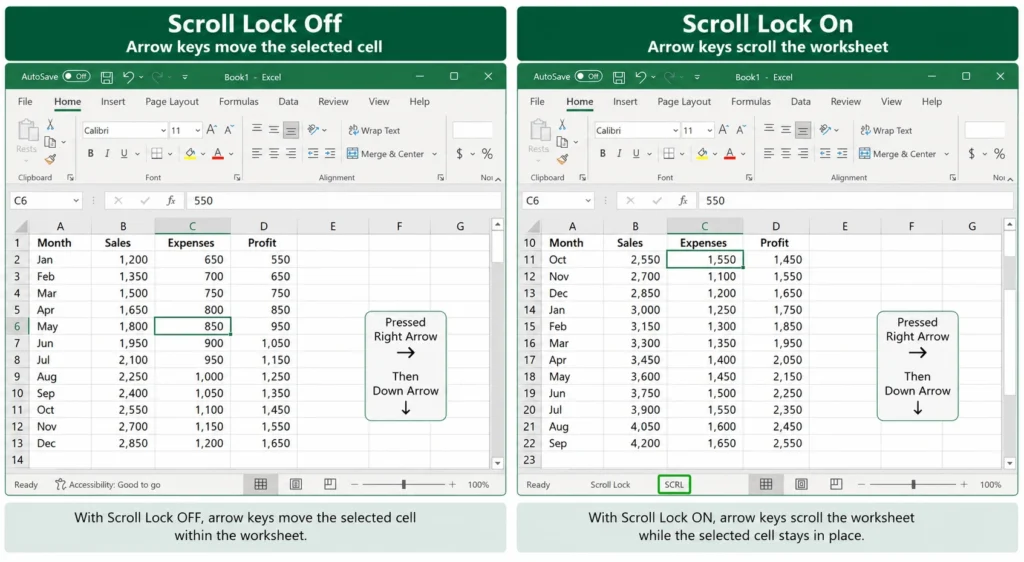
Where it still matters is a small set of grid-based tools. Microsoft Excel is the clearest example. If scroll lock is active, pressing an arrow key scrolls the worksheet view while the selected cell stays put. Microsoft Project, LibreOffice Calc, and a few older programs like Lotus Notes behave the same way.
Why Many Laptops Don’t Have A Scroll Lock Key
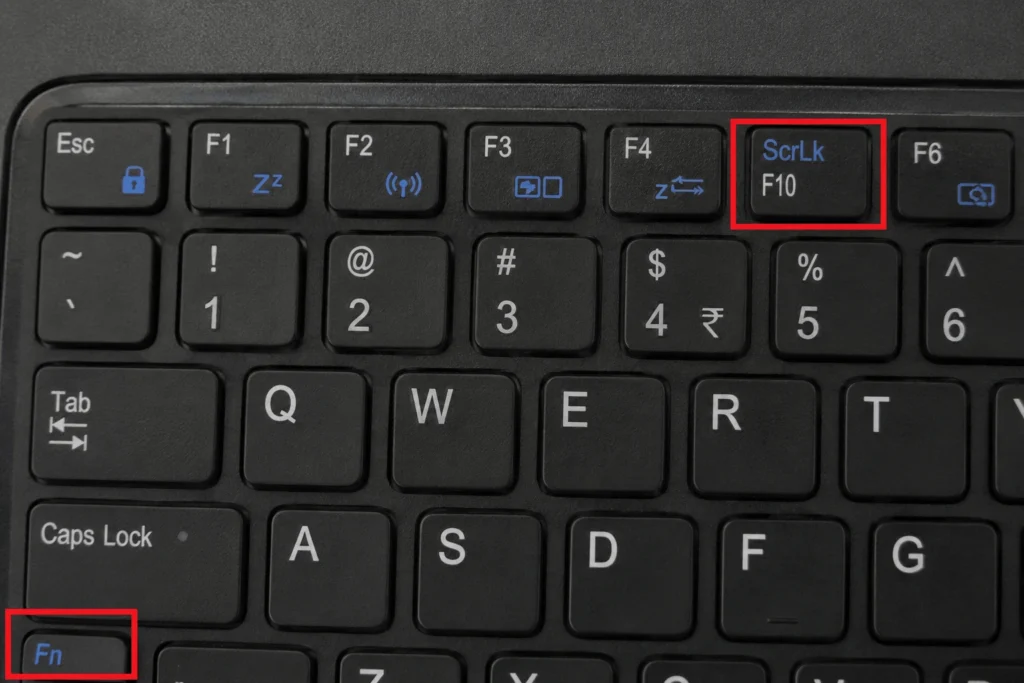
A dedicated keyboard used to include Scroll Lock as a standalone key, usually near Pause and Break. Laptop keyboards are smaller and the key rarely got used, so manufacturers folded it into a secondary function on another key. On most laptops it now lives behind Fn, shared with a key like C, F12, or the number lock key.
How To Tell If Scroll Lock Is On
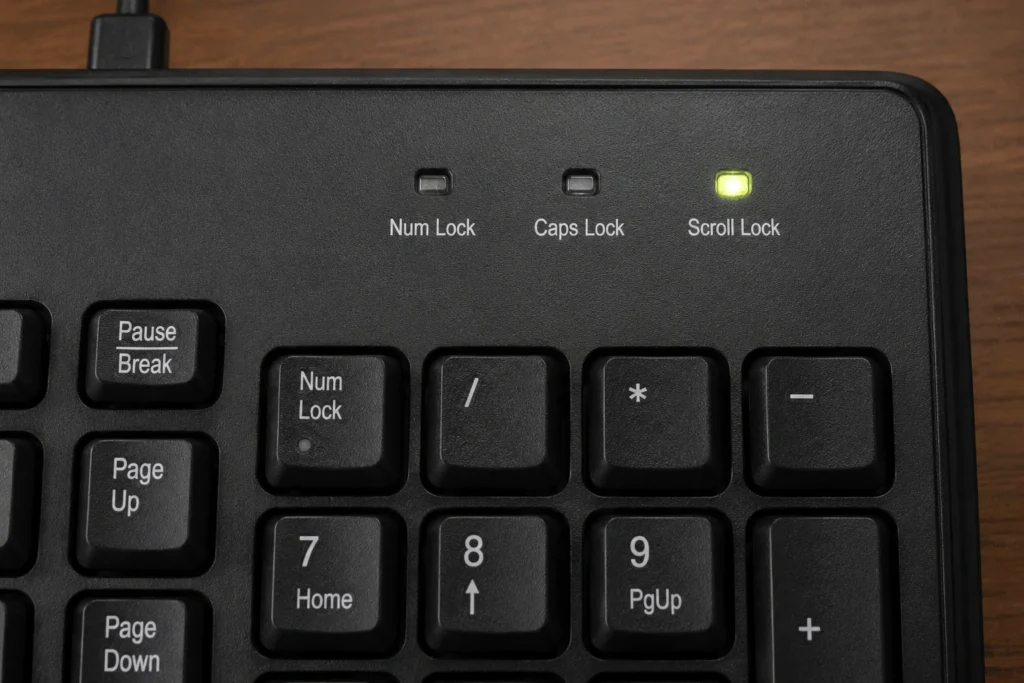
Full-size keyboards often have a small indicator light for scroll lock, usually grouped with the Caps Lock and Num Lock lights. Laptops frequently skip this light, so the toggle can be active without any visible warning. Here are a few additional ways to confirm the state:
- Third-Party Tray Tools — Apps like “Tray Status” or similar keyboard LED simulators sit in the taskbar and show live status for Caps Lock, Num Lock, and Scroll Lock, without needing to open any program.
- Checking Through The Windows Registry — Advanced users can check the path
HKEY_USERS\.DEFAULT\Control Panel\Keyboardin the Registry Editor, where the “Initial Key board Indicators” value gives a clue about the scroll lock state. This method is more technical but scriptable. - Quick Test Via Command Line — Running a short PowerShell command using .NET’s
Control.IsKeyLockedmethod can check the state programmatically, similar to how[console]::CapsLockworks for Caps Lock. - Manufacturer Keyboard Software — Brands like Logitech (via Logitech Options) or Microsoft’s keyboard software often include their own dashboard that shows the status of all toggle keys — especially useful when the keyboard has no physical indicator light at all.
- On-Screen Toggle Notifications (Some Windows 11 Builds) — Newer Windows versions sometimes show a temporary on-screen notification when a toggle key is pressed. If this feature is enabled, it gives an instant visual confirmation.
How To Turn Off Scroll Lock On A Laptop
1. Use The Fn Key Combination
Most laptops toggle scroll lock with Fn plus a specific key. Common combinations include Fn + C, Fn + F12, or Fn + Num Lock, depending on the manufacturer and keyboard layout. Check the small blue or gray text printed on your keys, since that label tells you which key is paired with Fn for this function.
2. Use The On-Screen Keyboard
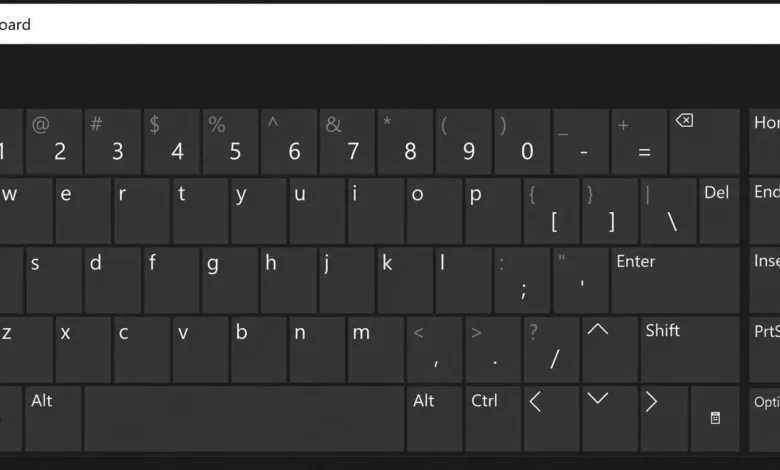
If the Fn shortcut does not work, or your keyboard skips the function entirely, Windows has a built-in fallback. Open the on-screen keyboard from Windows search, switch it to show function keys if needed, and click ScrLk directly. This works even on keyboards with no physical scroll lock key at all.
3. Use PowerShell Or A Script
For a one-time toggle without touching the keyboard, PowerShell can simulate the keypress:
Add-Type -AssemblyName System.Windows.Forms [System.Windows.Forms.SendKeys]::SendWait(“{SCROLLLOCK}”)
Running this once flips the state, and running it again flips it back. IT teams managing many laptops sometimes wrap this in a login script to force scroll lock off by default.
Common Ways Scroll Lock Turns On By Accident
The most frequent cause is a stray Fn press during another shortcut. If Fn shares a row with Ctrl, Alt, or the number keys, a mistyped combination can toggle scroll lock without you noticing, especially if your keyboard has no indicator light.
Remote sessions add a second wrinkle. If you connect to a machine over RDP, scroll lock may be active on the remote computer rather than your own, and toggling it locally will not fix anything. In that case, use the on-screen keyboard inside the remote session instead of your physical keyboard.
Docking a laptop to an external keyboard can also cause confusion. If the external keyboard has its own scroll lock key and state, switching between it and the laptop keyboard may make the toggle look inconsistent, since each keyboard can hold its own state depending on how the system reads input.
What Programs Still Use Scroll Lock
Excel remains the main reason anyone encounters this feature today. A short list of other programs that recognize the toggle:
Microsoft Project, for similar grid-navigation behavior. LibreOffice Calc, which mirrors Excel’s handling. Some Linux terminal sessions, where pressing scroll lock freezes console output so you can read fast-scrolling logs, then unfreezes it on a second press. A handful of screen-capture and voice-chat tools that use scroll lock as a dedicated hotkey precisely because it is rarely bound to anything else.
Outside of these cases, scroll lock has no effect. Browsers, chat apps, and most productivity software will not react to it at all.
Fixing A Scroll Lock Key That Won’t Turn Off
If none of the usual shortcuts work, a few things are worth checking before assuming the hardware is faulty. Confirm you are testing on the correct machine, since a remote session can make scroll lock look stuck when it is actually toggled on the far end. Try the on-screen keyboard as a hardware-independent test. If that toggles it successfully but your physical key does not, the Fn combination on your specific model may be different from what you tried, and checking your laptop manufacturer’s key-layout page for your exact model is the fastest way to confirm the right combination.
If the toggle still will not change after trying the on-screen keyboard, a keyboard driver reinstall or a BIOS reset to defaults resolves most remaining cases, since occasional keyboard firmware glitches can lock a toggle key’s reported state.
Scroll lock rarely causes real problems today, but knowing where the key hides and how it behaves saves a confusing few minutes the next time Excel starts scrolling instead of selecting.
Frequently Asked Questions
1. Why does my laptop not have a scroll lock key?
Most laptop keyboards fold scroll lock into a secondary function on another key, accessed with Fn, because the dedicated key took up space that was rarely used. Compact and ultraportable keyboards often drop the function entirely.
2. How do I turn off scroll lock without a dedicated key?
Use the Fn key combination printed on your keyboard, commonly Fn + C or Fn + F12, or open the Windows on-screen keyboard and click ScrLk directly. Both methods work without a physical scroll lock key.
3. Why does Excel keep scrolling instead of moving between cells?
This happens when scroll lock is active. Check the Excel status bar for “SCRL,” then turn off scroll lock using your keyboard shortcut or the on-screen keyboard to restore normal arrow-key navigation.
4. Does scroll lock affect web browsing or general typing?
No. Modern browsers and most everyday applications ignore the scroll lock state completely. It only affects a small set of programs like Excel, Project, and certain terminal sessions.
5. Can scroll lock turn on by itself?
Yes. It is commonly triggered by an accidental Fn press during another shortcut, especially on keyboards where Fn sits close to Ctrl or the number row, or by a remote session where the toggle is active on the far end rather than your local machine.