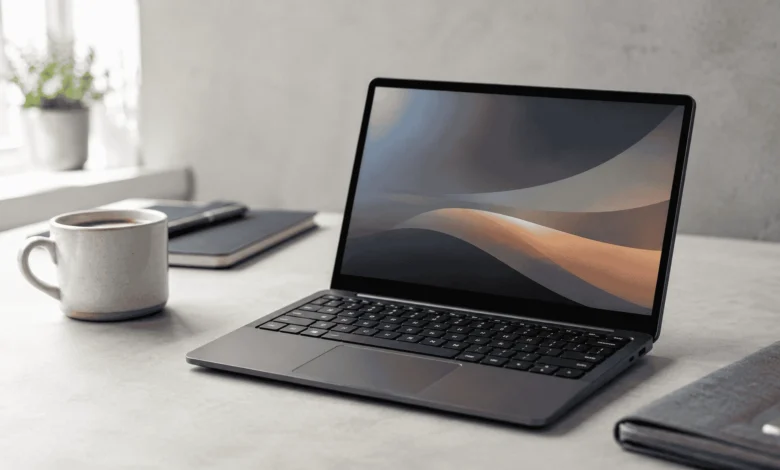
A mini laptop is any laptop with a screen from about 8 to 12.5 inches, built for portability over raw power. It runs a full desktop operating system, unlike a tablet, usually weighs under 3 pounds, and works best for browsing, note-taking, and everyday tasks rather than heavy multitasking or demanding software.
What Counts as a Mini Laptop
Laptop makers don’t agree on one exact cutoff, but most mini laptops fall between 8 and 12.5 inches measured diagonally. Go bigger than that and the device usually gets marketed as an ultrabook or a standard thin-and-light laptop instead. The term also overlaps with “netbook,” an older label from the late 2000s for cheap, small, low-power laptops built mainly for web browsing and email.
The range within the category is wide. The ASUS L210MA sits at the simple end: an 11.6-inch screen, a fanless body, and a low price aimed at students and casual users. At the other extreme, a device like the GPD WIN MAX 2 packs an AMD Ryzen AI 9 HX 370 processor and up to 64GB of RAM into a 10.1-inch touchscreen chassis, closer to a pocket workstation than a netbook.
Who Actually Needs a Mini Laptop
A mini laptop suits people whose main need is carrying something light, not running heavy programs. A college student who takes notes during lectures and switches to a desktop for research papers at home is a good fit. So is a frequent traveler who mostly checks email, writes documents, and streams video from hotel rooms or airport lounges.
When a Mini Laptop isn’t the Right Choice
If your daily work involves editing 4K video, running several IDEs side by side, or compiling large codebases, a small screen and a low-power chip will slow you down fast. A 12.5-inch display also makes side-by-side windows cramped, so anyone who relies on multitasking across two documents at once should look at a 14-inch or larger laptop instead.
Specs that Matter Most
Screen size gets the most attention, but it isn’t the spec that decides whether a mini laptop feels usable day to day.
Processor and Everyday Performance
Most mini laptops use low-power chips such as Intel N-series processors or Qualcomm Snapdragon platforms. These handle browser tabs, video calls, and office documents without much trouble. Push them harder, open a dozen tabs alongside a video call, and the small chassis with limited cooling starts to show its limits through slowdowns and fan noise on models that have a fan at all.
RAM and Storage
Aim for at least 8GB of RAM and an SSD rather than eMMC storage. A 4GB Chromebook-style mini laptop can feel fine for a single browser window, then stutter noticeably once you add a streaming video and a document editor at the same time. SSD storage also matters for boot speed and file access, and it holds up better over years of use since it has no moving parts.
Battery Life
Mini laptops often last longer than bigger laptops because the smaller screen and low-power chip draw less energy. HP rates the Stream 11, for example, at over 13 hours on a charge. Manufacturer numbers like this come from controlled lab tests, so expect real-world use, with brightness up and apps running in the background, to land noticeably lower, often 20 to 30 percent under the rated figure.
Display Quality
At this screen size, resolution matters more than the inch measurement on the spec sheet. An HD panel at 1366×768 looks grainy for text-heavy work like reading or editing documents. A Full HD panel at 1920×1080 on the same size screen looks sharper and causes less eye strain over a long session.
Keyboard and Typing Comfort
Shrinking a laptop usually means shrinking the keyboard too. Some 10 and 11-inch models compress punctuation keys or reduce key travel to fit the smaller deck. If you plan to type for long stretches, test the keyboard in person or read owner reviews that specifically mention typing comfort, not just specs.
Ports and Connectivity
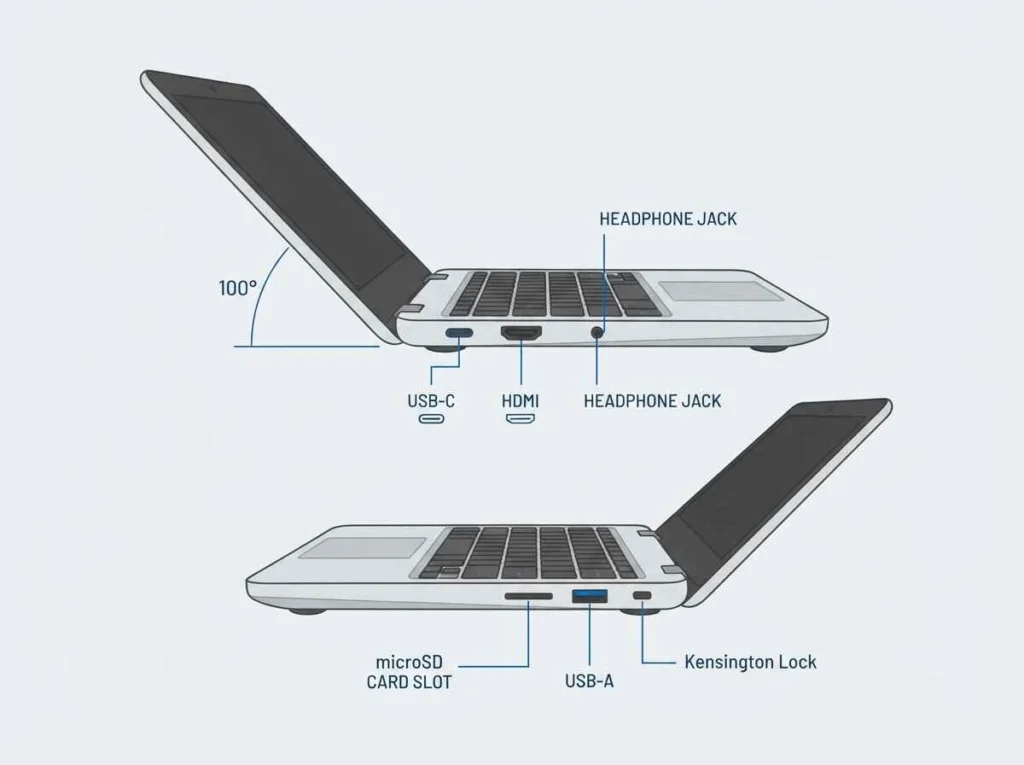
Expect a limited set: usually one or two USB-C ports, sometimes a USB-A port, an HDMI output, and a microSD slot. If you need more than that, such as connecting an external monitor and a wired mouse at the same time, a USB-C hub solves the shortage without adding much bulk.
Choosing an Operating System
The operating system changes what a mini laptop can actually do, sometimes more than the hardware does.
1. Windows Mini Laptops
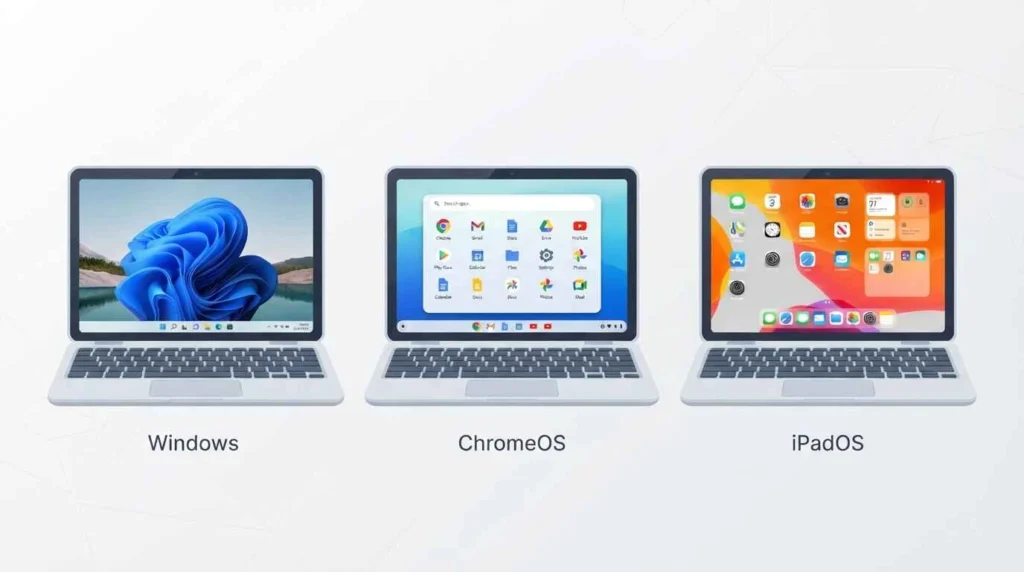
Windows gives you the widest software compatibility, including full versions of Office, Photoshop, and most business tools. That compatibility comes at a cost: Windows uses more system resources than lighter operating systems, so a Windows mini laptop with only 4GB of RAM can feel sluggish even during basic tasks.
2. Chrome IOS Mini Laptops
ChromeOS boots quickly, updates itself automatically, and runs light on low-power hardware, which is why it pairs well with budget mini laptops like the Lenovo Chromebook Flex 3. The tradeoff is a heavier reliance on web apps and an internet connection, since offline support for full desktop software is limited.
3. iPad and Tablet Hybrids as Mini Laptops
An iPad mini paired with a keyboard case works as an informal mini laptop for many people, especially for reading, note-taking, and light creative work. Its fanless design stays silent, and battery life tends to be strong. The catch is the App Store model, which restricts certain desktop-class software that Windows and ChromeOS users take for granted.
Mini Laptop VS Tablet VS Standard Laptop
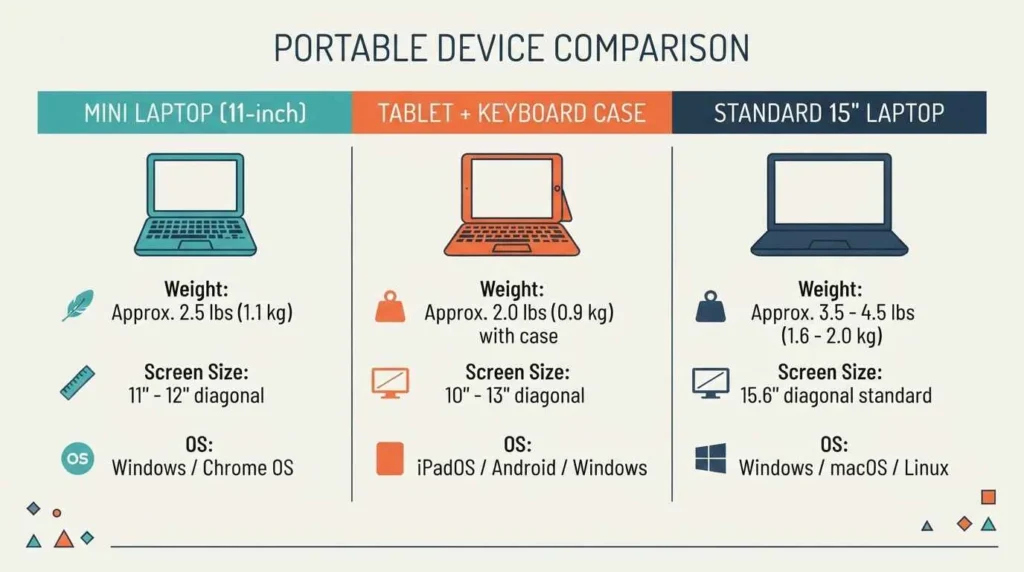
A mini laptop sits between a tablet and a full-size laptop. Compared to a tablet, it keeps a physical keyboard, runs a complete desktop OS, and usually includes more ports, which makes document editing and file management easier. Compared to a standard 14 or 15-inch laptop, it gives up screen space and processing headroom in exchange for lower weight and, in many cases, longer battery life.
Popular Mini Laptop Categories in 2026
The category splits into a few clear groups based on price and purpose.
1. Budget Windows Mini Laptops
Models like the HP Stream 11 and ASUS L210MA target students and casual users who mostly browse, write, and stream. Storage tends to be modest, so leaning on cloud storage for files works better than trying to store everything locally.
2. Premium Ultra-Compact Mini Laptops
Devices such as the GPD WIN MAX 2 2025 push mini laptops toward workstation territory, with configurations up to 64GB of RAM and 4TB of NVMe storage alongside a Ryzen AI 9 HX 370 chip. These cost far more than a budget model but can handle coding, light gaming, and creative software that a typical mini laptop can’t.
2-in-1 Mini Laptops
The Microsoft Surface Go 4 and Lenovo Chromebook Flex 3 fall into this group, combining a touchscreen, a kickstand or folding hinge, and a detachable or foldable keyboard. This layout suits note-taking in tablet mode during a lecture, then typing mode for writing up notes afterward.
How to Buy the Right Mini Laptop: a Step-By-Step Checklist
Work through these steps in order rather than picking on screen size or price alone.
- Define your main use case: note-taking, travel email and browsing, or light creative work each point toward different specs.
- Set a budget range before browsing, since mini laptop prices span from entry-level Chromebooks to premium handheld workstations.
- Pick an operating system based on the software you already rely on daily.
- Check RAM (8GB minimum for most uses), storage type (SSD over eMMC), and screen resolution (Full HD over HD where available).
- Confirm the seller’s return window, ideally two weeks or more, in case the keyboard or screen doesn’t suit you in daily use.
Common Mistakes to Avoid When Buying a Mini Laptop
- Choosing based on screen size alone and ignoring resolution, which affects text sharpness more than inches do.
- Assuming RAM can be upgraded later. Many mini laptops solder RAM to the motherboard, so the configuration you buy is the one you keep.
- Trusting the manufacturer’s battery rating as a real-world number rather than a best-case lab result.
- Skipping the return policy, especially for the cheaper budget models bought online, where a bad keyboard or dim screen only becomes obvious after daily use.
The bottom Line on Mini Laptops
A mini laptop works well as a secondary device for browsing, notes, and light writing, and less well as your only computer for demanding work. Match the operating system to the software you already use, check RAM and resolution before price, and test the keyboard in person if you can. Get those three right and the size stops feeling like a compromise.
FAQ’S
1:What screen size counts as a mini laptop?
Most fall between 8 and 12.5 inches measured diagonally. Anything larger typically gets marketed as an ultrabook or a standard thin-and-light laptop instead.
2:Can a mini laptop replace a full laptop for work?
It depends on the work. Document editing, email, and web-based tools run fine, but video editing, heavy coding, or running several applications side by side will feel cramped and slow on most mini laptop hardware.
3:Is 4GB of RAM enough for a mini laptop?
It’s enough for a single task at a time, like reading or writing in one window. Add a few browser tabs, a video call, or background apps, and 4GB starts to feel tight. 8GB holds up much better for everyday multitasking.
4:Do mini laptops overheat easily?
Some do, especially fanless models pushed into sustained heavy use. Fanless designs manage everyday tasks fine but throttle performance under continuous load to control heat, since there’s no active cooling to remove it.
5:Are mini laptops good for gaming?
Most budget mini laptops aren’t, since their processors and graphics hardware target light productivity. Premium models like the GPD WIN MAX 2 are the exception, built specifically to handle gaming and demanding software in a compact body.