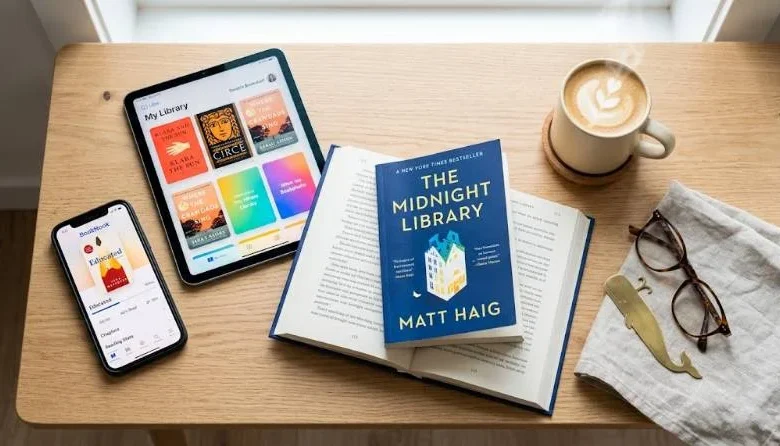
The best apps for reading depend on what you read and where you read it. A phone suits a commuter. A tablet suits a night reader. A library card suits anyone who would rather not pay for every book.
Most readers end up with two or three apps rather than one. You need something to read in, sometimes something to listen in, and maybe something to log what you finished. This guide sorts the best apps for reading by job, so you can choose fast and skip the rest
Quick Picks for the Best Apps for Reading
| Category | Best App |
|---|---|
| Free library books | Libby |
| Largest ebook store | Kindle |
| iPhone and iPad reading | Apple Books |
| Your own EPUB and PDF files on Android | Moon+ Reader |
| Audiobooks | Audible or Libro.fm |
| Tracking what you read | The StoryGraph |
| Remembering what you read | Readwise or Anki |
| Kids learning to read | Readability |
How to Choose a Reading App
Start with where your books already live. If you own years of Kindle purchases, switching stores means leaving that library behind. Stay with Kindle and add other apps around it.
Next, check your file types. Ebook stores handle their own formats well. Personal files such as EPUBs and PDFs need an app that lets you import them without fuss.
Then think about comfort. Adjustable fonts, background colors, and a dark mode matter more than any headline feature if you read for an hour a night. Test them in the first chapter, not after you subscribe.
Syncing matters if you switch devices. Kindle, Apple Books, and Google Play Books all save your place across devices within their own ecosystems.
Finally, look at cost. Many apps are free, and paid tiers usually add extras rather than core reading. Prices change often, so check the current plan before you pay.
One exception: if you mostly read PDFs, use a dedicated PDF app. Bookstore apps handle textbooks and papers less well.
Best Apps for Reading Ebooks
1: Kindle
Kindle is the default for a reason. Amazon has the largest ebook catalog, and your place syncs across phones, tablets, and Kindle devices. Highlights and notes are solid too. The weak spot is exporting those notes, which takes a third-party tool. The app is free, and you buy books individually.
2: Apple Books
Apple Books comes preinstalled on iPhone and iPad. It keeps ebooks and audiobooks in one place and adds daily reading goals with streaks. The page-turning feels clean and quiet. If you use Apple hardware exclusively, it is the smoothest choice. It has no Android app, so mixed-device households should look elsewhere.
3: Google Play Books
Google Play Books is the free, lightweight option on Android and the web. You can upload your own EPUB and PDF files and read them next to purchased titles. It also handles comics and illustrated books reasonably well. Getting notes out takes some manual work.
4: Kobo
Kobo suits readers who want an alternative to Amazon. Its app reads EPUB titles and syncs with Kobo e-readers. Check that your preferred titles are available before committing.
5: Moon+ Reader
Moon+ Reader is an Android app for books you already have as files. It opens many formats, offers deep control over fonts and page turns, and connects directly to Project Gutenberg. That gives you access to a large library of free public domain books. The interface looks dated, but the control it gives you is hard to beat.
Best Apps For Reading free Books
Libby is the best starting point. You connect a library card, then borrow ebooks and audiobooks at no cost. You can link multiple library cards, which widens your pool of titles. A tag system lets you sort borrowed books and your to-be-read list. Popular titles come with waitlists, so place holds early. Libby can also send borrowed books to a Kindle, so you keep your preferred reading screen.
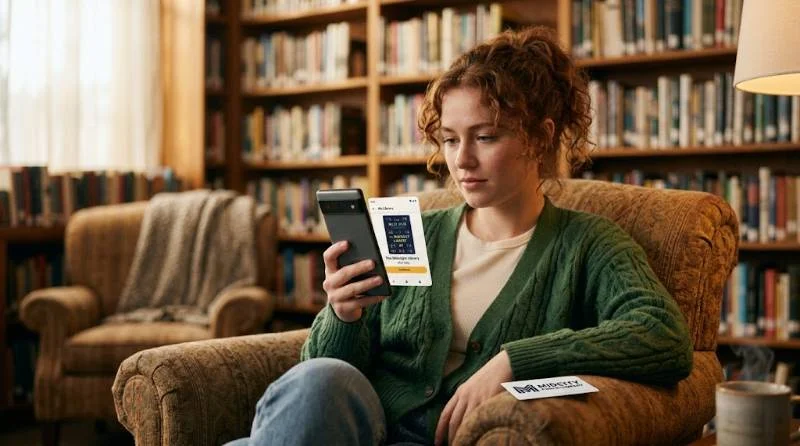
Hoopla is the fix for waitlists. It also works with a library card, and titles are usually available instantly. The trade-off is a monthly borrowing limit, which varies by library.
Project Gutenberg covers the classics. Its public domain library holds tens of thousands of older titles, free and legal to download. Pair it with any reader app that accepts EPUB files.
Best Apps For Listening to Books
Audible has the largest selection of professional narrations. Its credit system rewards regular listeners. Whispersync keeps your place when you switch between the Kindle ebook and the audio edition, which suits commuters who read at night.
Libro.fm is worth a look if you want to support independent bookstores. Your purchase sends part of the sale to a store you choose.
Everand, formerly Scribd, bundles ebooks and audiobooks in one subscription and is often the cheapest paid option. Check that your must-read titles are included first.
Audio suits novels and narrative nonfiction best. Dense technical books work better on a page, where you can stop and reread.
Best Apps For Tracking What You Read
The StoryGraph is the best all-round tracker. It logs what you are reading, what you finished, and what you want to read. You can mark books as did not finish and keep several in-progress titles at once. Its stats show how long you take per book, and the year-end wrap-up compares your reading to past years.
Goodreads is the pick when community matters most. It has the biggest user base, reviews for nearly every title, and yearly challenges. The interface feels dated, and Amazon owns it, but your friends are probably already there
.
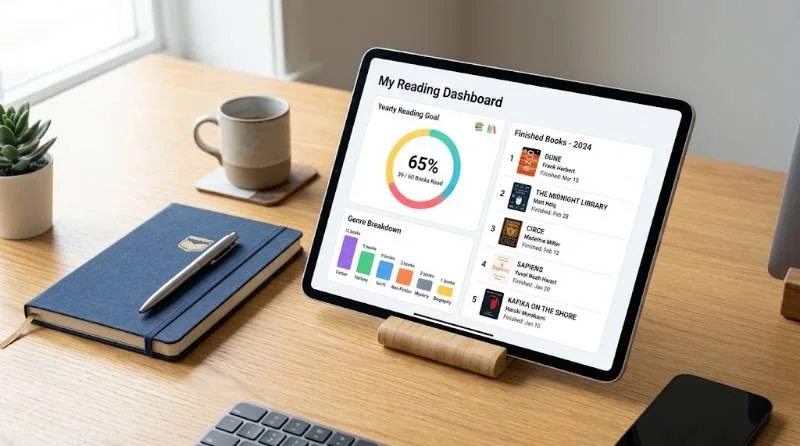
Bookly treats reading like a habit. You set daily page or time goals and log sessions with a built-in timer. The free version limits how many books you can add, so heavy readers may need the paid tier.
Bookmory suits private readers who prefer a quiet reading journal over a social feed.
Skip trackers entirely if logging feels like homework. A notes app works fine.
Best Apps For Eemembering What You Read
Finishing a book and forgetting most of it a month later is common. Highlights alone do not fix that, because a stored highlight is not a memory.
Readwise pulls highlights from Kindle, Apple Books, and web articles into one library. It emails a daily selection of old highlights, so ideas resurface without effort. It is passive, which is both its charm and its limit.
Anki is a free flashcard app built on spaced repetition. It is powerful and customizable, but you must write every card yourself. That effort helps you learn, though it becomes tedious across a full book. The desktop version is free, and the iOS version costs a one-time fee.
For most people, a cheaper habit works better than any app. After each chapter, write two sentences in your own words. Then reread them a week later.
Best Apps for Kids Learning to Read
Readability is built for children learning to read, from kindergarten through sixth grade. The child reads aloud, and an AI tutor listens, corrects mistakes, and asks comprehension questions. Stories are leveled by grade. One subscription covers up to three children, and a 30-day free trial is available.
It fits early and struggling readers best. Once a child reads fluently, Libby works better because they can borrow books they choose themselves. Any app works only if the child wants to open it.
Sample App Stacks for Different Readers
The budget reader: Libby for borrowing and reading, StoryGraph for tracking. Total cost is zero.
The commuter: Kindle for ebooks, Audible for audio, and Whispersync to move between them.
The note taker: Kindle for reading, Readwise for highlights, and Anki for the ideas you must keep.
The Android file collector: Moon+ Reader for your own EPUBs, Libby for library loans, and StoryGraph for tracking.
The parent: Readability for early reading practice and Libby for family read-aloud time.
Mistakes to Avoid With Reading Apps
Do not install ten apps. Each one adds a sync task and a subscription you will forget. Do not pay for a tracker before trying the free tier. And do not judge an app by its ratings alone, because a favorite for romance readers may frustrate someone who reads textbooks. Pick two apps, use them for a month, then adjust.