

The fastest way to check AirPod battery is to open the charging case lid next to your iPhone or iPad. A card slides up within a second or two and shows the charge for the left AirPod, the right AirPod, and the case.
If your iPhone is not nearby, you still have options. A Mac, an Apple Watch, Siri, and the case’s status light all report battery in different ways, and each has a quirk worth knowing. This guide covers every working method, including what to do on Android, where the pop-up never appears.
Check AirPod Battery on iPhone or iPad
The iPhone offers four reliable ways to check. Which one fits depends on whether the AirPods are in your ears, in the case, or somewhere at the bottom of your bag.
1. Open the Case Near Your iPhone
This is the method most people use daily because it needs no setup.
- Make sure Bluetooth is on, and the AirPods are paired with your iPhone or iPad.
- Put the AirPods in the case and hold it close to the screen.
- Open the lid and wait a moment for the card to appear.
The card lists the left AirPod, the right AirPod, and the case. The case percentage only shows when at least one AirPod is inside, a rule Apple Support Community replies spell out. If you take one earbud out and leave the other, the case level stays on screen.
2. Add the Batteries Widget to Your Home Screen
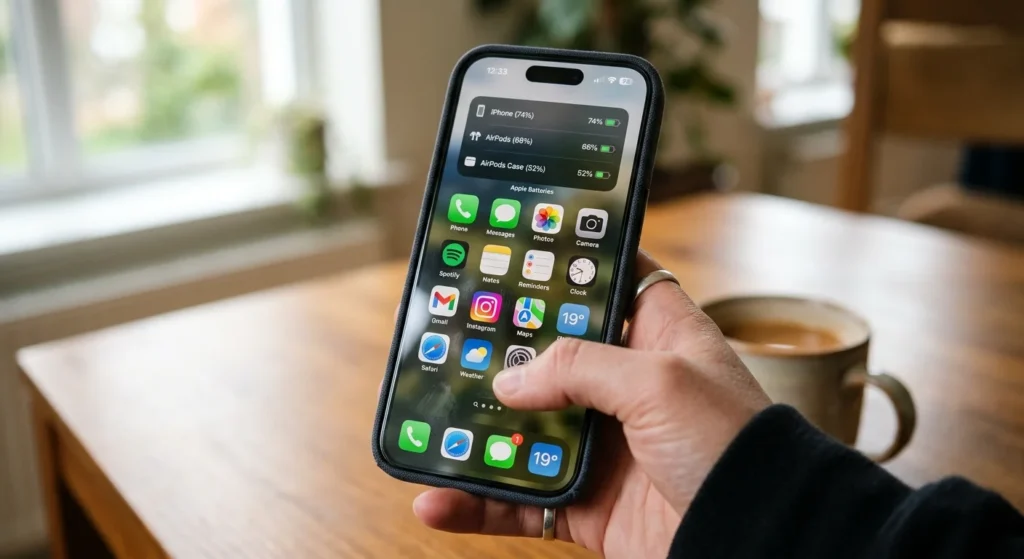
The widget is better when you want a number without opening the case every time. Touch and hold an empty spot on your Home Screen, tap the plus button in the top corner, search for Batteries, and add the size you like. Apple’s iPhone User Guide covers the same steps under “Add a Batteries widget to your Home Screen.”
Once the AirPods are connected, the widget lists them next to your iPhone and any paired Apple Watch. A widget on the Today View page works just as well if you want to keep the main Home Screen clean.
3. Look in Settings
With the AirPods connected, open Settings and tap their name near the top. The battery level for the earbuds appears at the top of that screen, above the controls for noise cancellation and other options. It is a handy check when you are already in there changing something.
4. Ask Siri
Put the AirPods in your ears and say, “Hey Siri, what’s the battery on my AirPods?” Siri reads out the level for both earbuds. This works well when your hands are full, since you never pull the phone out.
Check AirPod Battery on an Apple Watch
Open Control Center on the watch, tap the battery percentage, and scroll down. Connected AirPods are listed under the watch’s own charge, each with a percentage.
It is a good fit for a run or a gym session when your phone is sitting in a locker. The AirPods need to be connected to the watch at that moment, so a pair resting in the case will not appear.
Check AirPod Battery on a Mac
Click the Bluetooth icon in the menu bar, or open Control Center and choose Bluetooth. With the AirPods connected, the battery level shows next to their name. Setapp’s guide covers the same menu bar route.
The case level follows the same rule as on iPhone: it appears only when an AirPod is inside, and the lid is open. If the AirPods are missing from the list, open System Settings, choose Bluetooth, and click Connect beside them.
Check AirPod Battery Without an Apple Device
Not everyone has an iPhone in the house. If you use AirPods with a Windows laptop or an Android phone, these two options still work.
Read the Status Light on the Case
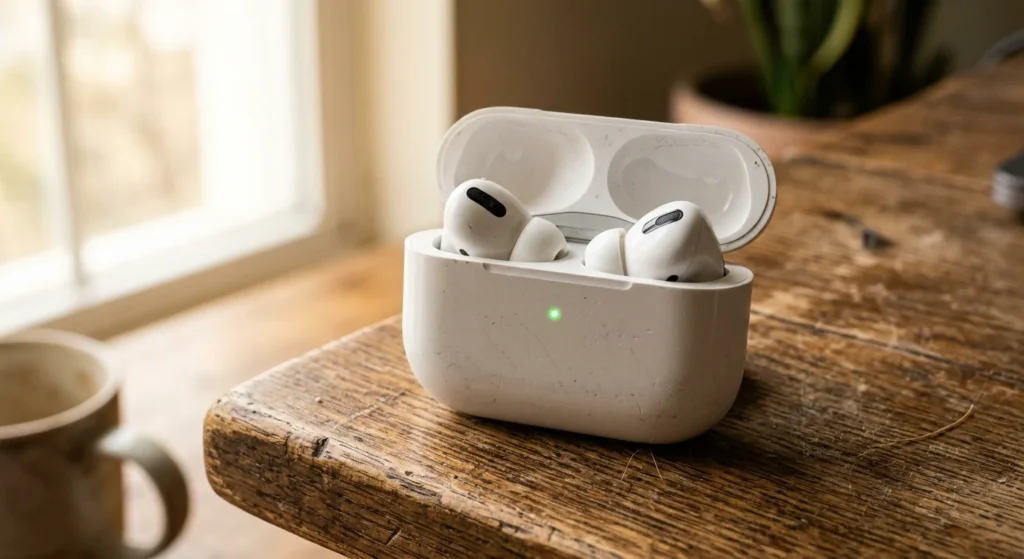
The light gives a rough reading rather than a percentage, but it needs no phone at all. Depending on your model, it sits inside the case between the earbuds or on the front.
With the AirPods inside and the lid open, green means a full charge and amber means less than one full charge remains. With the AirPods out, green means the case itself is fully charged, and amber means it holds less than one full charge. Apple lists these meanings on its Charge Your AirPods support page.
A flashing white light means the AirPods are ready to pair, not that the battery is fine. A flashing amber light points to a pairing error, so reset the AirPods before you judge the charge.
Use an Android Phone
Android does not show the case pop-up, and Apple offers no official battery readout there. Third-party apps exist, but support depends on the model.
Headphonesty reported in 2022 that the AirBattery app did not support AirPods 3 or AirPods Pro 2, so check the current listing for your exact model before installing anything. The case light stays the dependable fallback. If you want exact percentages, borrowing an iPhone for five seconds does the job.
Why Your AirPod Battery Is Not Showing
When nothing appears, the cause is almost always one of a few simple things. Work through them in this order.
The AirPods are not connected. The card and widget need a live Bluetooth link, so confirm Bluetooth is on and the AirPods are paired with this device.
The case is closed. Apple Community replies describe it as expected behavior that the AirPods drop off the widget once the case closes. Open the lid, or take one earbud out, and the reading returns.
The case level is missing. The case percentage only shows while at least one AirPod sits inside it. Put an earbud back in and reopen the lid.
The reading is old. If the case has been closed and away from your phone, the widget may show a stale number. Open the lid near your iPhone to refresh it.
If none of that helps, put both AirPods in the case, close the lid for about 30 seconds, and try again. As a last step, hold the setup button on the back of the case for about 15 seconds until the light flashes amber and then white, then pair the AirPods again.
Why the Left and Right AirPod Show Different Numbers
Small gaps are normal. Each earbud has its own battery, and they rarely drain at the same rate. One may have spent longer in your ear, handled a call alone, or sat outside the case while the other charged.
A few percentage points of difference is nothing to worry about. A large gap that returns every day, even after both earbuds charge fully, can point to a worn battery in one earbud. That is a good moment to book a check with Apple Support rather than keep guessing.
What the Battery Numbers Mean for Real Listening Time
Percentages are easier to read when you know the baseline. Apple rates AirPods Pro 2 for up to 6 hours of listening on one charge with noise cancellation on, and about 30 hours in total when you count the case. AirPods 4 are rated for up to 5 hours with noise cancellation off, and also about 30 hours in total.
Real results are lower if you take calls, play audio at high volume, or run noise cancellation all day. Newer models have different ratings, so confirm yours on Apple’s AirPods comparison page.
A simple habit helps. If the case reads under 20 percent, charge it before a flight, a commute, or a long workday, since the case is what refills the earbuds on the move.
What to Do When the Battery Drains Too Fast
Checking the number often turns up a bigger problem: the battery falls faster than it should. Start with the settings you can change in a minute.
Noise cancellation and Transparency mode use more power than standard listening, so switch to Off if you do not need them. Make sure the AirPods are on the latest firmware, which installs on its own when they sit in the case, connected to power, near your iPhone.
If the drain continues after a reset and a full charge, the battery itself may be worn. Apple Support can run a diagnostic and tell you whether service makes sense for your age of AirPods and warranty status.
Habits That Keep AirPod Battery Healthier
AirPod batteries are small, and they wear down with charge cycles like any lithium-ion cell. You cannot stop that, but a few habits slow it.
Turn on Optimized Battery Charging in the AirPods settings if your model supports it. It learns your routine and holds the charge below full until you usually need it.
Keep the AirPods out of hot cars and direct summer sun. Apple lists a normal operating range of 32° to 95° F (0° to 35° C), and US drivers in states like Arizona and Texas will pass that ceiling in a parked car by midday.

Finally, do not let the earbuds sit fully drained for weeks. A short top-up every few weeks keeps them from sinking into a deep discharge while they are stored.