

Why is Verizon down? The honest answer depends on where you are and what stopped working. Sometimes a tower or fiber line has failed and thousands of people lose service together. Other times the fault sits in your phone, your router, or your account.
This guide helps you work out which case you are in. You will learn how to confirm an outage in about two minutes. You will also see what usually causes one and which fixes work when the network is fine but your service is not.
Is Verizon actually down or is it just you?
Check this before you change any settings. A few quick comparisons separate a network outage from a local fault.
Quick checks that take two minutes
Ask someone nearby who uses Verizon whether their phone works. If theirs is fine and yours is not, suspect your device, SIM, or account. If everyone around you is stuck, suspect the network.

Next, open the Check Network Status page on Verizon’s official site or in the My Verizon app. You can search by address or ZIP code. It covers wireless service and Home Internet, including 5G Home and LTE Home.
Then check Downdetector or a similar tracker. These sites chart user reports over time. A sharp spike in a short window usually points to a real outage, not scattered individual faults.
Signs it is the network
These patterns point to a Verizon problem:
- Several people nearby lose service at the same moment.
- Verizon’s status page lists an active issue near you.
- Calls, texts, and data all fail together.
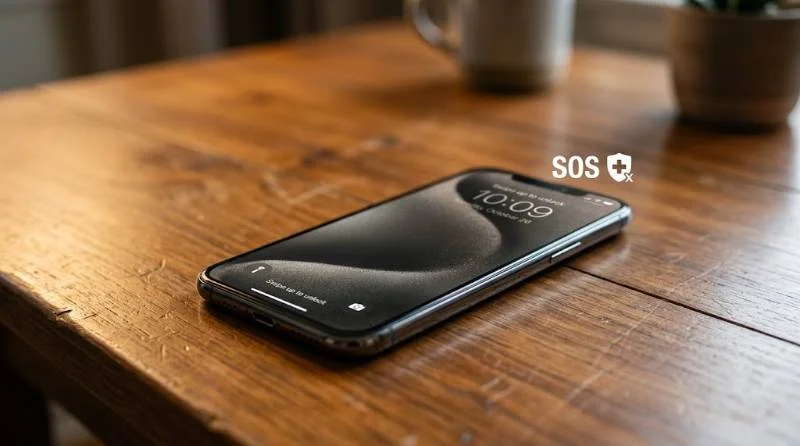
- Your phone shows SOS or No Service even after a restart.
Signs it is your device or account
These patterns point to something closer to home:
- Only one phone is affected while others on the plan work.
- Service fails only inside one building.
- One app breaks while the rest of the internet loads.
- You recently changed phones, SIMs, or plans, or missed a payment.
Why is Verizon down? The most common causes
Most outages trace back to one of six causes. Knowing which one fits helps you judge how long the wait will be.
1: Equipment failure at a cell site
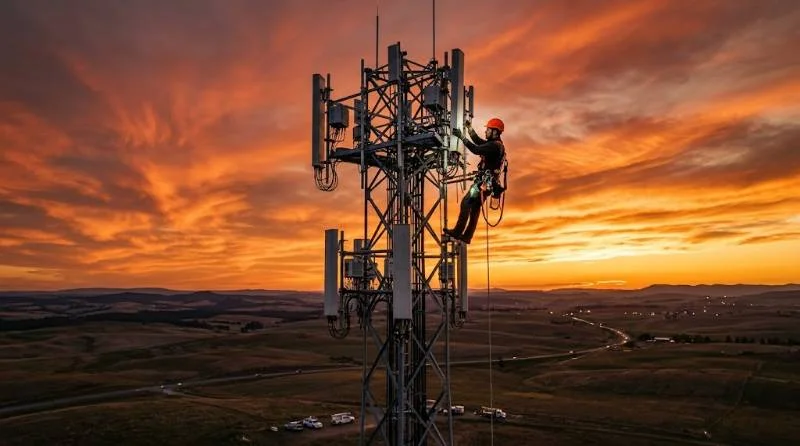
A cell site is a tower with radios, power supplies, and a link back to the core network. If a radio card fails or a backup battery dies during a power cut, that site goes dark. Phones then reach for a farther tower, which often means weak signal or none. Repairs need a crew on site, so these outages can last hours.
2: Fiber cuts and backhaul damage
Every tower depends on a fiber line that carries its traffic to the wider network. Construction crews cut these lines more often than most people expect. One cut can take down several towers at once, along with Fios and business internet on the same route. Verizon can reroute traffic, but rerouting is not always instant.
3: Software updates and configuration errors
Outages that hit many states at once usually start in the core network, not at a single tower. The core is the software layer that connects every call, text, and data session. A faulty update or a wrong setting can spread across it quickly. Engineers must find the change and roll it back, so these events feel sudden and hard to predict.
4: Severe weather and natural disasters
Hurricanes, floods, wildfires, ice storms, and extreme heat all damage lines and cut power to cell sites. Backup batteries and generators buy time but run out in long blackouts. After a major storm, service usually returns site by site rather than all at once.
5: Planned maintenance and network upgrades
Verizon keeps upgrading equipment for 5G and extra capacity. Crews usually schedule this work overnight to limit the impact. Some upgrades still cause short drops, and a few go wrong and run long.
6: Heavy demand in one place
Stadiums, concerts, holiday travel, and emergencies pack thousands of phones into one sector. Calls may connect while data crawls. That is congestion, not an outage. Moving a short distance or switching to Wi-Fi often helps.
Why Verizon seems down when the map shows nothing
Outage maps lag behind reality. A new problem can take a while to show up, and small local faults may never appear at all.
1: Partial outages that hide in plain sight
An outage does not always kill everything. Sometimes texts fail while calls work. Sometimes 5G Ultra Wideband drops but LTE keeps data moving. If one service is broken, a map that tracks overall status may look normal.
2: Account and billing problems
A suspended line looks exactly like an outage. Missed payments, a paused line, or a recent SIM swap can all cut service. Sign in to My Verizon and confirm your line is active. A device that was never fully activated, such as a used phone, can fail the same way.
3: Outages that also hit Verizon’s resellers
Many prepaid and cable brands run on Verizon’s network. Visible, Total Wireless, Xfinity Mobile, and Spectrum Mobile are examples. When the underlying network fails, those customers lose service too. Their own channels may say little, so check Verizon’s status page as well.
4: Problems that look like Verizon but are not
If one app or site fails while everything else loads, the cause is usually that service’s own servers. Open a few unrelated sites and run a speed test. Fast results elsewhere mean your connection is fine and Verizon is not the problem.
What to do when Verizon is down on your phone
1: Fixes to try in order
Work through these steps in order. Stop as soon as service returns.
- Turn on airplane mode for 30 seconds, then turn it off.
- Restart the phone completely, not just the screen.
- Install any pending carrier settings or system updates.
- Remove and reseat the SIM card, or toggle your eSIM line off and on.
- Turn on Wi-Fi calling so calls and texts work over any Wi-Fi network.
- Reset network settings as a last step. This erases saved Wi-Fi passwords, so keep them handy.
If none of this works and neighbors on Verizon are also offline, further tinkering will not help. Wait for the network to recover.
2: What SOS mode means
SOS or Emergency calls only on your screen means your phone cannot reach Verizon’s network. It can still place emergency calls through any carrier in range. If people nearby see it too, the network is the likely cause. Do not count on it for ordinary calls.
3: Staying reachable while you wait
Wi-Fi calling and messaging apps keep you reachable wherever a Wi-Fi network works. A landline or a borrowed phone on another carrier covers the rest. For a real emergency, call 911. Your phone will try any available carrier to connect the call.
Why Verizon Home Internet or Fios is down
Fios outages
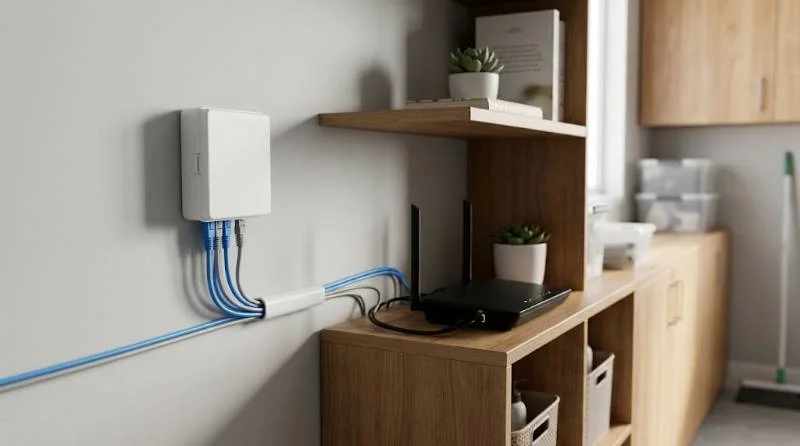
Fios brings fiber into your home through a box called the ONT, which feeds your router. Check the lights on both. An alarm light on the ONT often signals a lost fiber connection. A beeping ONT usually means it is running on backup battery after a power cut. Unplug the ONT and router for 30 seconds. Power the ONT on first, then the router.
5G Home and LTE Home outages
Home Internet runs over the same cell network as phones, so a tower problem can take it down. Signal quality also depends on where the receiver sits. A spot near a window on an upper floor usually performs best. Evening slowdowns often come from congestion, not an outage.
How long Verizon outages usually last
A failed radio or battery at one site often clears within hours. A cut fiber line can take a day when the break is hard to reach. Storm damage can stretch to several days in the worst-hit areas. Core network problems are usually fixed within hours, but the exact time depends on how quickly engineers find the cause.
Verizon usually posts restoration updates on its status page and social accounts, so check them rather than guessing.
Can you get a credit after a Verizon outage?
Verizon has offered account credits after some large outages. Those are announced to affected customers, so watch your texts and email. For smaller outages, you can ask support whether a credit applies. Nothing is guaranteed, so note when service dropped and when it returned. A short record makes the request easier to handle.
When to contact Verizon support
Reach out when self-checks fail and the problem looks specific to you.
- The status page shows no issue, but you have had no service for a day.
- Only your line is down while others nearby work fine.
- A new SIM or eSIM will not activate.
- The same drop keeps happening at the same place.
Have the details ready before you call or chat. Note your address, when the problem began, your phone model, and the steps you tried. During a large outage, phone queues get long. The My Verizon app chat can be quicker. If a store visit is easier, a Verizon store can test your SIM and phone on the spot.
How to prepare before the next Verizon outage
A few habits make the next outage far less painful. Set them up while your service works.
- Install the My Verizon app and sign in before you need it.
- Enable Wi-Fi calling in your phone settings.
- Download offline maps for places you travel often.
- Keep a charged power bank, since phones drain faster while searching for signal.
- Save key phone numbers outside your phone, such as on paper.
- Consider a backup eSIM line from a second carrier if you depend on your phone for work.
A second carrier matters most for remote workers and anyone on call, since a regional outage can last hours.