
Most university course pages still list eight gigabytes of RAM and integrated graphics as the minimum laptop requirement. That advice is outdated. If your coursework includes SolidWorks, AutoCAD, ANSYS, or MATLAB, that minimum spec will slow you down for most of the semester. Heavy programming courses run into the same wall.
This guide covers what actually matters in an engineering laptop. Then it breaks down the strongest options across price points. You’ll find a genuine budget pick and a full workstation built for heavy CAD work. Match your pick to your coursework and year of study, not to the highest spec sheet you can find. A lightweight ultraportable and a full workstation solve very different problems.
What Actually Matters in An Engineering Laptop
Four specs decide whether a laptop keeps up with an engineering course load: the GPU, the CPU, the RAM, and the storage. Screen size and keyboard feel matter for comfort. They rarely decide whether your software runs at all.
A dedicated GPU with at least 6GB of video memory is the real dividing line. Software like SolidWorks, ANSYS, and AutoCAD leans on the graphics card to render assemblies and simulations. Integrated graphics will bottleneck anything beyond a handful of simple parts. The CPU matters most for compiling code and running MATLAB scripts. It also handles multi-threaded simulations. A mid-range H-series or Ultra HX processor holds up far better than the low-power chips built for thin browsing laptops.
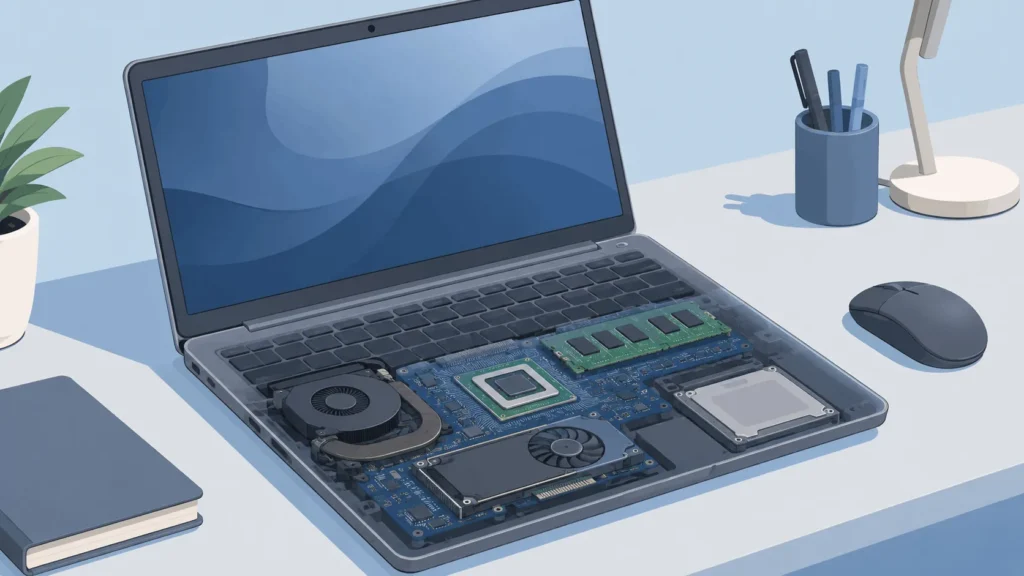
RAM is where students most often underbuy. Sixteen gigabytes is a workable floor. Thirty-two gigabytes prevents slowdowns once a SolidWorks assembly grows past a couple hundred parts. It also helps when you’re running a simulation alongside a browser full of reference tabs. Storage should start at 512GB. Engineering project files, CAD libraries, and raw datasets fill a drive faster than most students expect.
Display quality matters more for engineering than for most other majors. CAD work depends on seeing fine detail and accurate color without eye strain during long design sessions. Battery life and weight matter more than most spec sheets suggest too. Your day might include labs, lectures, and a library session before you get back to a charger.
Ports matter too, since courses often expect you to plug into projectors, external monitors, or lab equipment. Look for at least one USB-A port alongside USB-C, plus HDMI. A laptop with user-accessible RAM and storage slots also gives you a cheaper upgrade path later, instead of a full replacement.
Best Laptops For engineering Students in 2026
The picks below are grouped by what they solve, not by brand loyalty. Match each one to your coursework. Overspending on a workstation you don’t need is as common a mistake as underbuying for the software you’ll actually run.
Best Overall: ASUS ProArt P16
The ASUS ProArt P16 pairs a Ryzen AI 9 processor with a mid-range discrete GPU and a 4K OLED display. That combination handles CAD precision work and color-accurate rendering equally well. It typically lists in the 2,300 to 3,000 dollar range. Higher configurations go up to 64GB of RAM. That’s enough headroom for large SolidWorks assemblies, or for running a simulation while a dozen browser tabs stay open. At around four pounds, it’s heavier than an ultraportable but still manageable for daily campus use. The display alone justifies the price for design-heavy majors.
Best for CAD-heavy coursework: Lenovo ThinkPad P16 Gen 3
Mobile workstations exist for a reason. The ThinkPad P16 Gen 3 is built around ISV-certified performance for professional CAD and simulation software. That certification matters more than most students realize. Certified drivers reduce the crashes and rendering glitches that uncertified consumer laptops sometimes hit inside SolidWorks or ANSYS. It runs heavier and pricier than a typical student laptop. It fits best for mechanical, civil, or aerospace majors running demanding software every week, rather than students who only need CAD occasionally.
Best Value: Lenovo Legion 5i
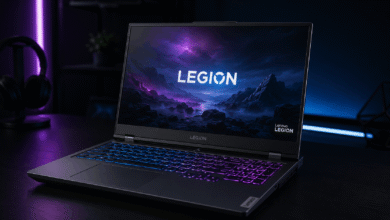
The Legion 5i pairs a capable mid-range GPU with an OLED display option. Pricing sits closer to 1,500 to 1,700 dollars, well under what workstation-branded laptops charge for similar graphics performance. It runs SolidWorks, AutoCAD, and coding environments comfortably. The gaming-oriented chassis also means better cooling and more sustained performance under long simulation runs than most laptops in this price tier.
Best Budget: Lenovo LOQ 15
For students who need real CAD capability without workstation money, the LOQ 15 is a strong option. It pairs an entry-level discrete GPU with a 144Hz 1080p display for around 1,300 to 1,400 dollars. It handles SolidWorks and AutoCAD at 1080p without trouble. It lacks the RAM headroom and display accuracy of pricier options. That makes it best for first and second-year students, before coursework gets simulation-heavy.
Best For MacOS-Based Coursework: MacBook Pro 16-inch (M4 Pro)
Not every engineering program runs on Windows-only software. If your coursework leans on MATLAB, Python, Fusion 360, or web-based CAD tools, the M4 Pro MacBook Pro is a strong choice. That’s different from relying on SolidWorks or ANSYS specifically. The MacBook delivers excellent battery life, a superb display, and enough sustained performance for simulation and coding work. It’s the wrong choice if your program requires AutoCAD or SolidWorks natively. Neither runs on macOS without a Windows virtual machine, which adds overhead most students would rather avoid.
Best For Battery Life And Portability: Dell 14S
Not every engineering student needs a discrete GPU on day one. The Dell 14S runs on an efficient Intel Core Ultra processor. It delivers close to 36 hours in video playback testing, all while weighing about 3.3 pounds. It’s a strong pick for students whose current coursework leans toward theory, math, and programming rather than CAD or simulation. You can always add a second, GPU-equipped machine later if your major demands it.

Best Splurge For Heavy Rendering: MSI CreatorPro Z17 HX
Some coursework goes past standard CAD work into heavy 3D rendering, generative design, or large-scale simulation. The CreatorPro Z17 HX is built for that tier, pairing a high-end mobile GPU with workstation-grade RAM and storage options. It typically costs 3,000 dollars or more. That price only makes sense if your program regularly pushes rendering or simulation workloads that smaller laptops choke on. Architecture, advanced mechanical engineering, and graduate-level research work are the most common reasons to justify this tier. Most undergraduates in earlier years won’t need this much machine.
New Or Refurbished: Does It Matter For Engineering Coursework
Buying refurbished can make sense, but only for certain machines. A refurbished business laptop, like an older ThinkPad or Latitude, often gives you a strong CPU and plenty of RAM. You’ll pay a fraction of the new price for it. That works well if your coursework leans on coding, MATLAB, or lighter CAD use.
It works less well if you need a modern discrete GPU. Older refurbished laptops rarely include the graphics power that current CAD and rendering software expects. Buying a refurbished machine with an outdated GPU to save money often means replacing it again within a year or two.
If you go the refurbished route, buy from a seller who tests each unit and offers some kind of warranty. A laptop with no return option and no testing history is a real risk for coursework you can’t afford to lose.
Windows Or MacOS For Engineering Course Work
This decision comes down to your specific program, not personal preference. AutoCAD, SolidWorks, ANSYS, and most circuit simulation tools run on Windows only. That makes Windows the default for mechanical, civil, electrical, and most aerospace tracks. Running these programs on a Mac through a virtual machine works, but it adds setup complexity. It typically costs you real performance too, compared to running the software natively. Dual-booting Windows on a Mac through Boot Camp is no longer an option on Apple Silicon models. That removes one workaround engineering students used to rely on.
Computer science, software, and some biomedical or industrial engineering tracks lean more on MATLAB, Python, and general programming environments. All of those run natively on macOS. If your program fits that profile, a Mac is a legitimate choice. Battery life and build quality often edge out comparable Windows ultraportables in the same price range.
Check your department’s required software list before you buy anything. Switching platforms mid-degree, because of one missing program, is a frustrating and expensive mistake to fix.
Do You Actually Need a Dedicated GPU
Not always, and this is where students most often overspend. If your first year or two is mostly calculus, physics, and introductory programming, integrated graphics will get you through fine. That budget is better spent on RAM and storage instead.
A dedicated GPU becomes necessary once your coursework shifts into CAD-heavy classes, or structural and fluid simulations. That shift typically starts in the second or third year for most majors. Buying that capability early isn’t wasted money, if your program’s later years clearly require it. If you’re unsure, a mid-range laptop with an entry-level discrete GPU splits the difference better than either extreme.
Many campuses also offer remote lab access to CAD workstations now. Check whether yours does, since it can reduce how much GPU power you need to carry around personally.
The Bottom Line
There’s no single best laptop for every engineering student, only the best fit for your coursework and budget. Confirm your department’s required software before buying anything, since that decides whether Windows is mandatory and how much GPU power you need. Buy for the most demanding year of your degree, not the easiest one. Upgrading mid-semester, because your laptop can’t handle a required simulation course, costs far more than spending a bit more upfront.