
The best laptops for writers in 2026 share three things: a keyboard that doesn’t wear out your hands by hour three, battery life that survives a full writing session away from an outlet, and a screen calm enough on your eyes to stare at for an entire afternoon. Raw processing power barely enters the conversation. A word processor and a dozen research tabs don’t ask much of a chip, so the machines worth buying are judged on comfort, not benchmark charts.
This guide skips the spec-sheet contest and focuses on four laptops that hold up during actual writing days, along with what’s worth checking before you commit to one.
What Actually Matters When You’re Buying a Laptop for Writing
Most laptop roundups sort machines by processor speed and benchmark scores. That approach makes sense for video editors and gamers. It makes far less sense for someone drafting a manuscript or filing a story, since word processing barely touches a modern CPU. What separates a good writing laptop from a forgettable one is how it feels during the fifth hour of a session, not how it performs in a synthetic test.
Keyboard Feel Beats Spec Sheets
Key travel, meaning how far a key physically moves before it registers, is the single biggest factor in typing comfort over long sessions. Most thin laptops today land around 1.5mm of travel, which is already a compromise compared to older, thicker designs. Reviewers who write professionally and test laptops for a living consistently point to Lenovo’s ThinkPad line as the standard other brands get measured against, thanks to its curved, snappy keys and consistent feel across generations.
A keyboard that looks fine in photos can still feel mushy or cramped in practice. If you can, spend ten minutes typing a real paragraph on a laptop in a store before buying it. A demo unit tells you more than any spec sheet.
Real Battery Life, Not the Marketing Number
Manufacturers test battery life under ideal conditions: dimmed screens, no background apps, sometimes just looping a video file. Real writing days involve a browser with fifteen tabs, a word processor autosaving in the background, and a screen bright enough to read on a train. Independent reviewers who run mixed-use tests are a better guide than the number on the box.
As a rule of thumb, expect real-world battery life to land at roughly 60 to 75 percent of a manufacturer’s advertised figure once you’re actually working, not idling. A laptop advertised at 18 hours that delivers 13 to 14 hours under a real workload, as testers have found with Apple’s latest MacBook Air, is being honest. One that drops to under half its claim is not.
Weight and Screen Comfort for Long Sessions

Writers who move between a desk, a café, and a bag care about weight in a way that gamers and creators typically don’t. Under 1.4kg (about 3 pounds) is the range where a laptop stops being a chore to carry. Screen quality matters just as much: a matte, non-glossy display reduces glare during long reading and editing passes, and a sharp panel makes small text easier to hold in focus for hours at a time.
The Software Question Most Guides Skip
Almost every roundup of the best laptops for writers ranks machines purely on hardware and ignores what software a writer actually needs to run. That’s a real gap, because it changes the decision for a lot of people.
Novel-writing tools like Scrivener and Vellum run natively on macOS and Windows but have no Chromebook version, so a ChromeOS machine won’t work for a novelist who has built a workflow around either app. Dictation software such as Dragon is Windows-first and only partially supported elsewhere. Google Docs, on the other hand, runs identically across all three platforms and even works offline once cached, which is part of why Chromebooks remain a fine choice for bloggers, students, and journalists who live inside a browser. Before buying, it’s worth checking that the specific tool you write in actually runs on the operating system you’re about to pay for.
The Best Laptops for Writers Right Now
Best Overall: Apple MacBook Air (M4)
Apple’s MacBook Air with the M4 chip starts at $999 for the 13-inch model and remains the easiest laptop to recommend to a writer who doesn’t already have a strong operating system preference. Apple advertises up to 18 hours of battery life, and a SlashGear reviewer who tracked real usage found 13 to 14 hours under a genuinely heavy workload, a gap between marketing and reality that’s honest by industry standards.
The base configuration now ships with 16GB of unified memory, plenty for a word processor, a research browser, and a cloud backup client running at once. The 13.6-inch model weighs about 1.24kg, light enough to carry all day, while the 15-inch version trades a bit of portability for a larger canvas if you write mostly at a desk. The main trade-off is ports: you get two Thunderbolt 4 connections and nothing else, so anyone who plugs in an external keyboard, monitor, and backup drive simultaneously will need a dongle.
Best Windows Keyboard: Lenovo ThinkPad X1 Carbon
If you’re not tied to macOS, the ThinkPad X1 Carbon is the laptop most professional reviewers point to when the conversation turns to typing comfort. Lenovo has kept the same scalloped, slightly curved key shape for years, paired with 1.5mm of travel that testers at Thurrott and Techgoondu describe as some of the best available on a thin-and-light machine.
Recent ThinkPad X1 Carbon configurations have started around $1,600, climbing past $2,300 once you add RAM, storage, or display upgrades. Real-world battery life on past generations has landed around 9 to 10 hours of mixed use, short of Lenovo’s marketing claims but still enough for a full workday. The compact touchpad and lack of an SD card slot are worth knowing about if you shoot photos for your own articles, but the keyboard alone is the reason writers keep buying this line.
Best for All-Day Writing Marathons: LG Gram Pro 16
LG’s Gram Pro 16 solves a problem most 16-inch laptops create: a bigger screen for editing usually means more weight to carry. This one weighs close to 1.2kg thanks to a magnesium-aluminum chassis, putting it in the same weight class as many 13-inch laptops while giving you a 2560×1600 IPS display with room to keep reference material open beside your draft.
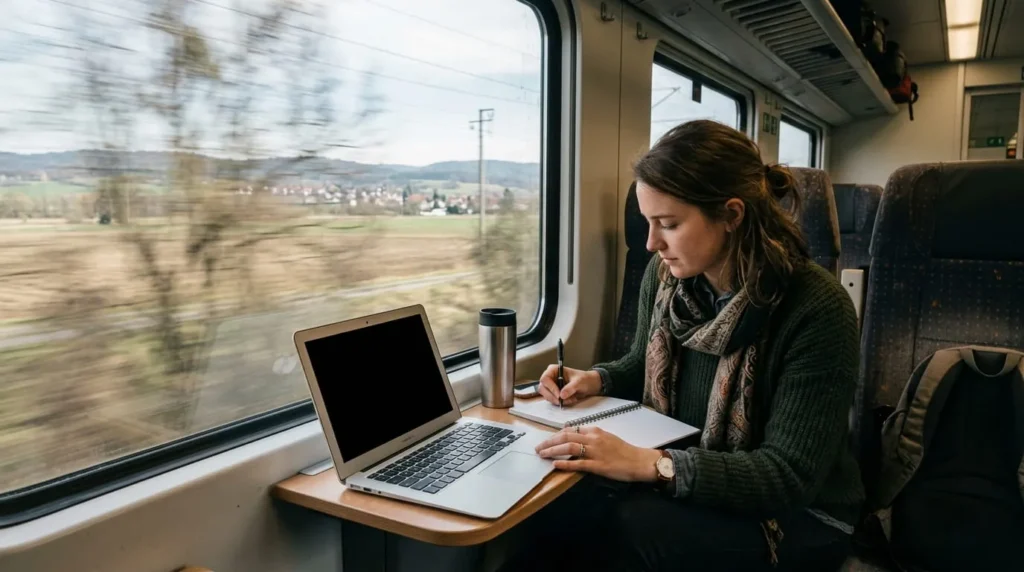
The 77Wh battery is the real selling point. LG’s own testing claims up to 20 to 27 hours depending on the exact model year, and independent lab testing using PCMark’s office benchmark measured over 21 hours on a comparable Gram unit, which is well above what most ultraportables manage. That kind of endurance means genuinely forgetting your charger for a full writing day. The trade-off is price, since Gram Pro models typically cost more than similarly specced rivals from Asus or Dell.
Best Budget Pick: Acer Chromebook Plus 514
For a writer who mostly works in Google Docs, WordPress, or a browser-based CMS, the Acer Chromebook Plus 514 covers the fundamentals without the premium price tag. Priced roughly between $349 and $399, it pairs an Intel Core 3 N355 chip with 8GB of memory and a generous 512GB of storage, and independent testers clocked it at nearly 13 hours on a charge. Those numbers would be unremarkable on a Windows machine, but they’re strong for a Chromebook.
The Chromebook Plus badge matters here: it guarantees a Full HD display, a usable webcam, and enough memory to keep a dozen tabs open without the machine stalling, unlike older budget Chromebooks that struggled past four or five tabs. The catch is software. Desktop apps like Scrivener, Vellum, or Adobe’s Creative Cloud tools don’t run on ChromeOS, so this pick suits bloggers, students, and journalists working entirely in the browser. Novelists with a desktop-app-based workflow should look at the other three picks instead.
Matching a Laptop to How You Actually Write
Novelists and Long-Form Authors
If your process runs through Scrivener, Vellum, or a dedicated formatting tool, rule out ChromeOS entirely and choose between the MacBook Air and the ThinkPad X1 Carbon based on which operating system and keyboard feel you prefer. Both handle years of drafts, backups, and research folders without strain.
ournalists, Bloggers, and Freelancers on Deadline
Speed of waking from sleep, a keyboard that doesn’t slow you down mid-interview, and weight you won’t think twice about carrying to a story matter more here than raw power. The MacBook Air and the LG Gram Pro 16 both fit this brief, with the Gram Pro’s extra screen size helping if you’re cross-referencing notes while you write.
Students and Occasional Writers
For coursework, blog posts, and essays that live in Google Docs or a school’s web-based tools, the Acer Chromebook Plus 514 does the job at a third of the price of the other picks on this list. Just confirm your specific classes or freelance clients don’t require a desktop app that ChromeOS can’t run.

None of these four laptops will make anyone a better writer. What they can do is stop getting in the way: a keyboard that doesn’t tire your hands, a battery that lasts the session, and a screen you can stare at for hours without wanting to look away. That’s the actual bar the best laptops for writers need to clear, and each of these four clears it for a different kind of writing day.