
You can delete your ChatGPT account by going to Settings, then Data Controls, then Delete Account on chatgpt.com, or by submitting a request through OpenAI’s Privacy Portal at privacy.openai.com. Once confirmed, OpenAI closes the account right away and removes most of your data within 30 days.
Why People Delete Their ChatGPT Account
The reasons vary, but a few come up again and again. Some people switch jobs and no longer want a personal account tied to work prompts. Some are cleaning up old logins after a phone number or email change. Others simply want less of their conversation history sitting on a company’s servers, especially after seeing how much personal detail can build up in a chat history over months of daily use.
None of these reasons require anything dramatic. The steps below work the same whether you are closing the account for good or just want to understand what deletion actually removes before you decide.
What Happens When You Delete Your ChatGPT Account
Deletion is permanent. OpenAI’s own help documentation states that once an account is deleted, you cannot sign back in, recover past chats, or reuse the same email address to register a new account. Your data is scheduled for removal within 30 days, though OpenAI may keep a limited set of records longer if the law requires it, such as records tied to fraud prevention or safety reviews.
If you have a paid subscription bought directly through OpenAI, deleting the account also stops future billing. If you subscribed through the Apple App Store or Google Play, deleting your OpenAI account does not cancel that store subscription. You still have to cancel it separately, or the store will keep charging you even though the account no longer exists.
Before You Delete: Two Things Worth Doing First
1. Export Your Chat History
Once your account is gone, your conversations go with it. If any chats contain code, drafts, or research you might want later, export them first from Settings, Data Controls, Export Data. OpenAI emails a download link with your conversation history and account data in a file you can keep.
2. Cancel Your Subscription
Account deletion should stop billing on OpenAI’s side, but it is worth checking the Billing section first, especially if you signed up through a browser on one device and use the app on another. People on Reddit’s ChatGPT community have described billing confusion after switching between the web app and mobile app, so confirming cancellation before you delete removes any doubt.
How to Delete Your ChatGPT Account on the Web
The browser method is the most complete way to close a ChatGPT account, since it gives you full access to settings that the mobile apps sometimes hide.
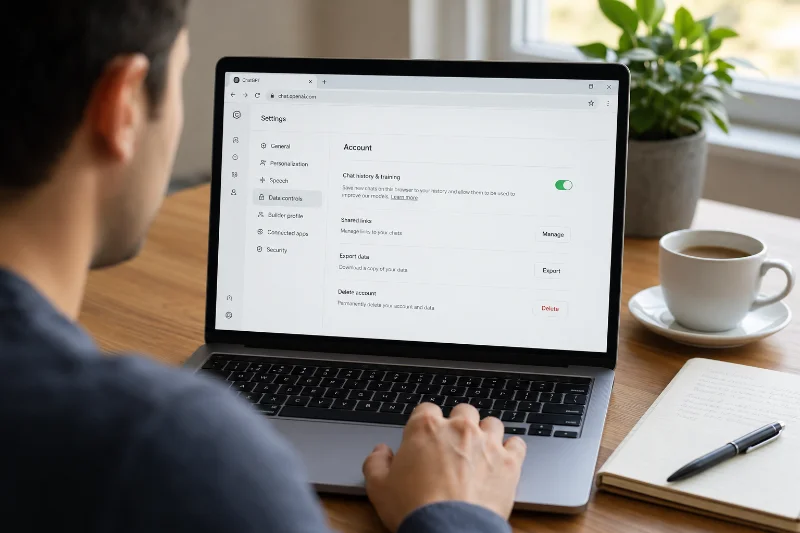
Sign in to chatgpt.com. Click your profile icon in the bottom left corner. Select Settings, then Account. Under Delete account, click Delete. Confirm by typing your account email address and the word DELETE into the fields, then click Permanently delete my account.
If you would rather submit the request through OpenAI’s dedicated privacy tool instead, go to privacy.openai.com, choose Make a Privacy Request, select the option for a consumer ChatGPT account, and follow the prompts to request deletion. This route asks you to verify either the email or phone number tied to the account, so keep access to one of them handy.
Both paths end in the same place, so the choice mostly comes down to where you happen to be signed in. People who already have the settings menu open tend to use the in-app Delete Account button, while people who lost access to certain settings, or who prefer a dedicated privacy request record, tend to use the Privacy Portal instead.
How to Delete Your ChatGPT Account on iPhone
The iOS app routes account deletion through the same data controls found on the web, according to OpenAI’s help center for the iOS app.
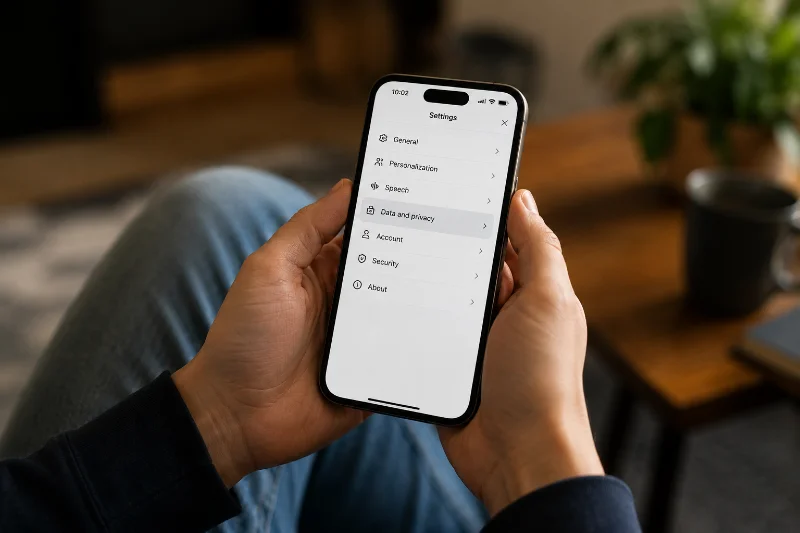
Open the ChatGPT app and sign in if needed. Tap the menu icon in the top left corner. Tap your profile icon, then Settings. Select Data Controls. Tap Delete Account and confirm in the pop-up that appears.
If you subscribed through Apple, remember to cancel that subscription in your iPhone’s Settings app under your Apple ID, Subscriptions, since deleting the OpenAI account will not touch an Apple billing agreement.
How to Delete Your ChatGPT Account on Android
The Android app follows a nearly identical path.
Open the ChatGPT app and sign in. Tap the menu icon in the top left corner. Tap the three dots next to your name to open Settings. Select Data Controls, then Delete Account. Confirm in the modal that appears.
As with iOS, a Google Play subscription needs to be canceled separately through the Play Store’s Subscriptions page. Deleting the OpenAI account by itself will not stop a Play Store charge.
Common Problems People Run Into
A few issues come up often enough that they are worth flagging before you start.
Phone number limits: OpenAI caps how many accounts can be tied to one phone number, and deleting an account does not free up that number for a new signup. There is no workaround for this through support.
Blocked self-serve deletion: If you no longer have access to the email or phone number on the account, the Privacy Portal cannot verify you, and self-serve deletion will not go through. In that case, OpenAI’s help center points people to contact support for a manual review instead.
Active subscription errors: If the account has an active paid plan, some users are asked to contact support so the subscription can be canceled as part of the deletion process, rather than deletion happening instantly.
Conflicting information between the app and help articles: some users have reported the mobile app and support chat giving different answers about what is or is not possible, which is one reason the web method through chatgpt.com tends to be more reliable when something is not working as expected.
Slow or stuck confirmation screens: browser extensions, ad blockers, and cached login sessions can occasionally keep the delete confirmation modal from loading properly. Signing out, clearing the site’s cached data, and logging back in before trying again usually clears this up without needing to contact support at all.
No live chat escalation: OpenAI’s support flow for account issues is largely email and ticket based rather than instant chat with a person. If a deletion request stalls for more than a few days, following up on the same support ticket rather than opening a new one tends to get a faster response.
Deleting Your Account vs Clearing Your Chat History
Deleting the account and deleting your chat history are not the same action, and mixing them up is one of the most common mistakes people make. Clearing chat history through Settings, General, Delete All Chats removes your conversations but keeps your login, billing, and custom GPTs intact. Deleting the account removes everything, including your ability to sign back in with that email at all.
If your goal is privacy rather than closing the account entirely, archiving or deleting individual chats, along with adjusting the model training toggle in Data Controls, may get you what you want without giving up the account itself.
What Happens After You Delete Your Account
Once the deletion request is confirmed, sign-in access ends immediately. OpenAI states that deleted chats are removed from its systems within 30 days unless they were already de-identified for model training or need to be kept longer for legal or security reasons. Archived chats, by contrast, are retained just like unarchived ones, since archiving only hides a conversation from the sidebar rather than deleting it.
Some privacy-focused services, including Proton, have pointed out that OpenAI’s exact retention window and what counts as an exception are not always spelled out in plain language, which is part of why privacy-conscious users sometimes look at alternatives with clearer data policies before deciding where to send sensitive prompts going forward.